

 AI Summary
Chief Electoral Officer of Uttar Pradesh has published the UP Voter List at the official websites ceouttarpradesh.nic.in and voters.eci.gov.in. Election Commission of India released the final electoral roll on April 10, 2026 after completing the Special Intensive Revision (SIR) exercise. The updated list has 13.39 crore voters, with 84.28 lakh new names added and around 2.04 crore names removed.
Anyone can search their name in the district wise CEO Uttar Pradesh Voters List with Photo and download the Voter ID Card PDF. The updated Electoral Roll with Photo is available in PDF format where people can find their name, download the voter ID card and voter slip before casting their vote.
UP Voter List 2026 with Photo Download (SIR Final Electoral Roll PDF)
Below is the complete step by step procedure to download the District wise CEO UP Voters List 2026 (SIR Final Electoral Roll)
STEP 1 - Visit the official website of CEO Uttar Pradesh at ceouttarpradesh.nic.in or the ECI Voters Portal at voters.eci.gov.in.
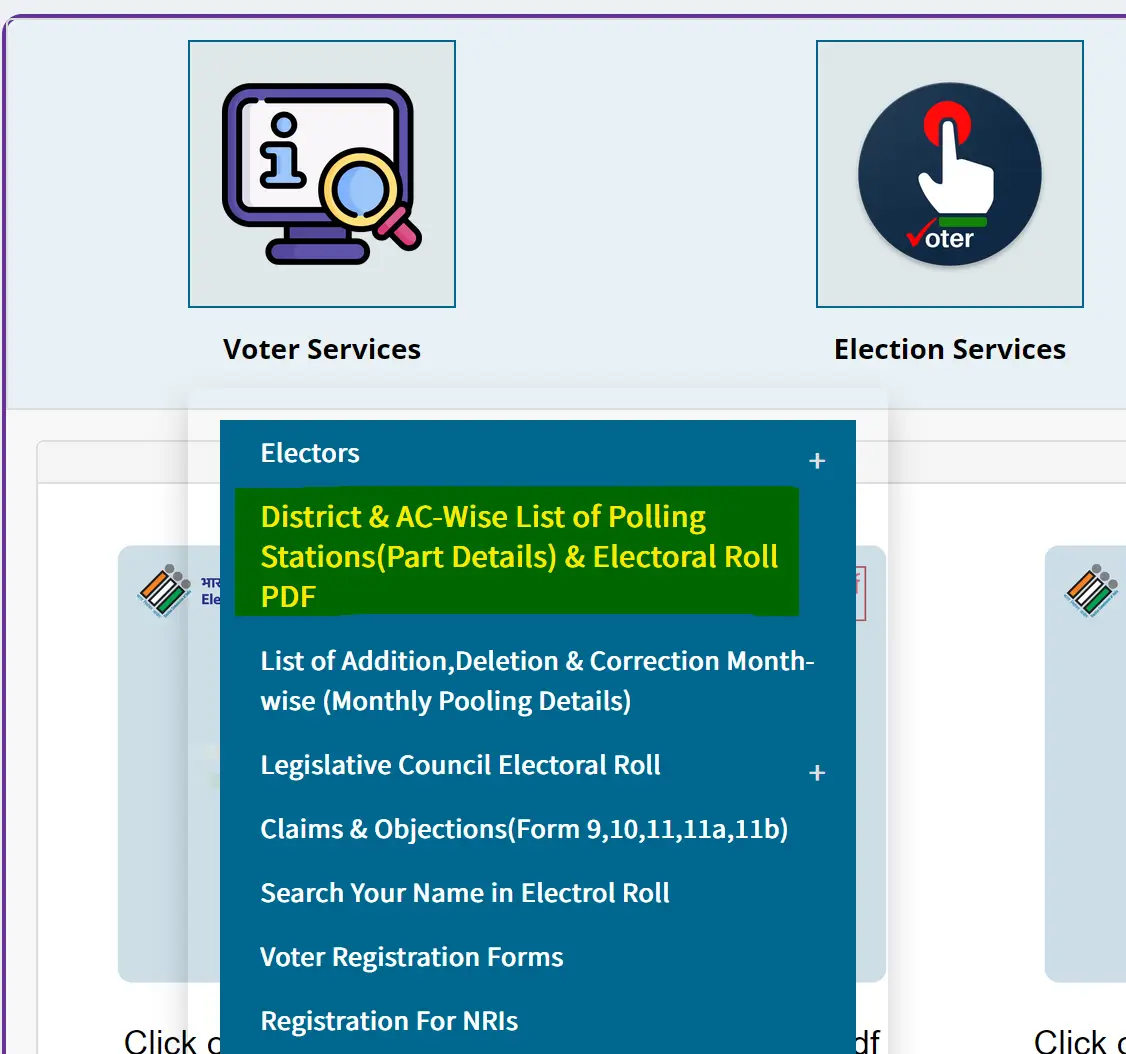
STEP 2 - On the homepage of CEO UP website, click on the "District & AC-Wise List of Polling Stations (Part Details) & Electoral Roll PDF" link present under the Voter Services section as shown below:
You can also use this direct link to open the UP Electoral Roll PDF Download Page.
STEP 3 - Upon clicking the link above, the Uttar Pradesh PDF Electoral Roll Download Page will appear as shown below:
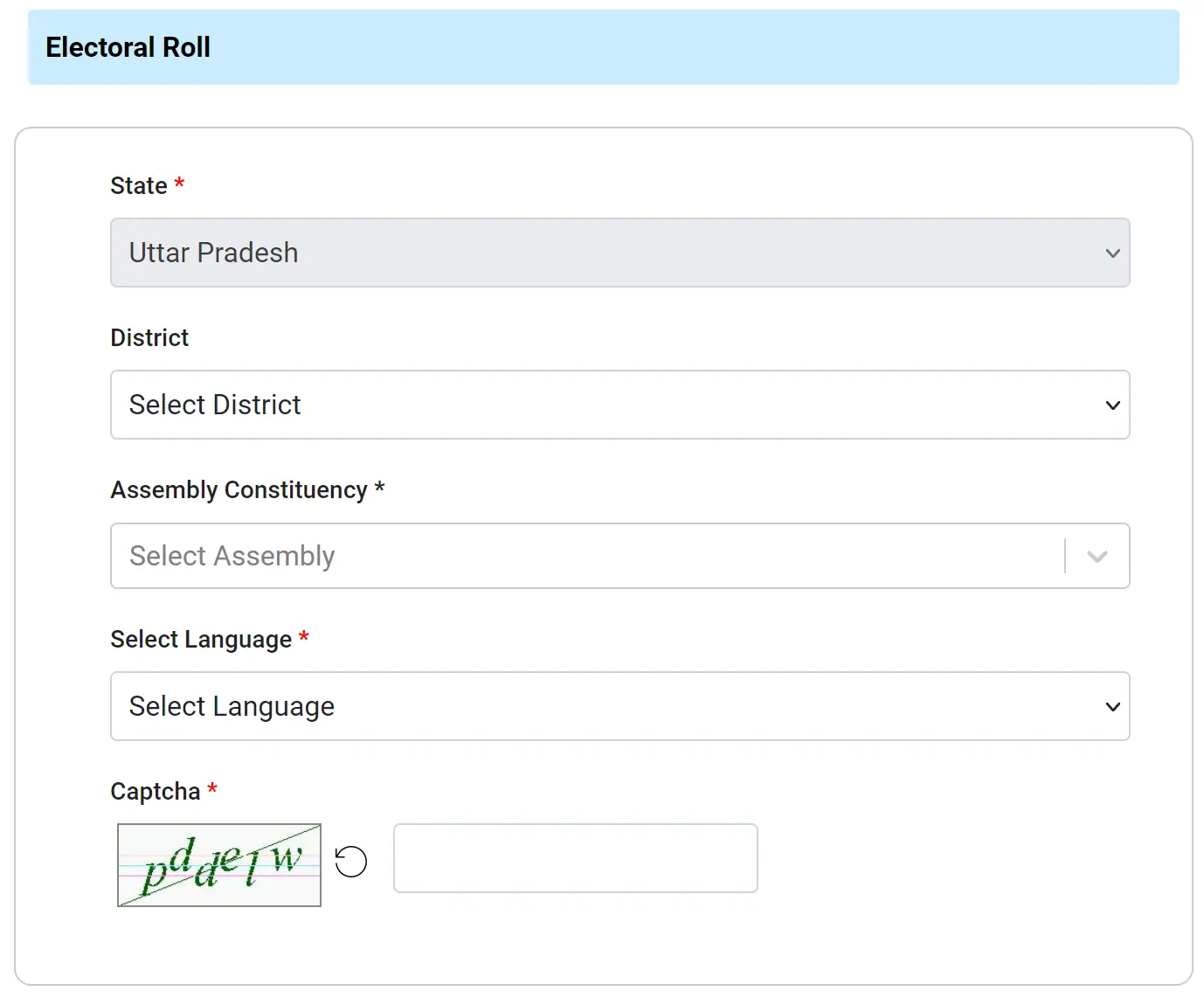
STEP 4 - Here candidates can select the district name, assembly constituency name and then click on the "Search" option to view the district wise or AC wise or Polling Station wise UP Voters List 2026.
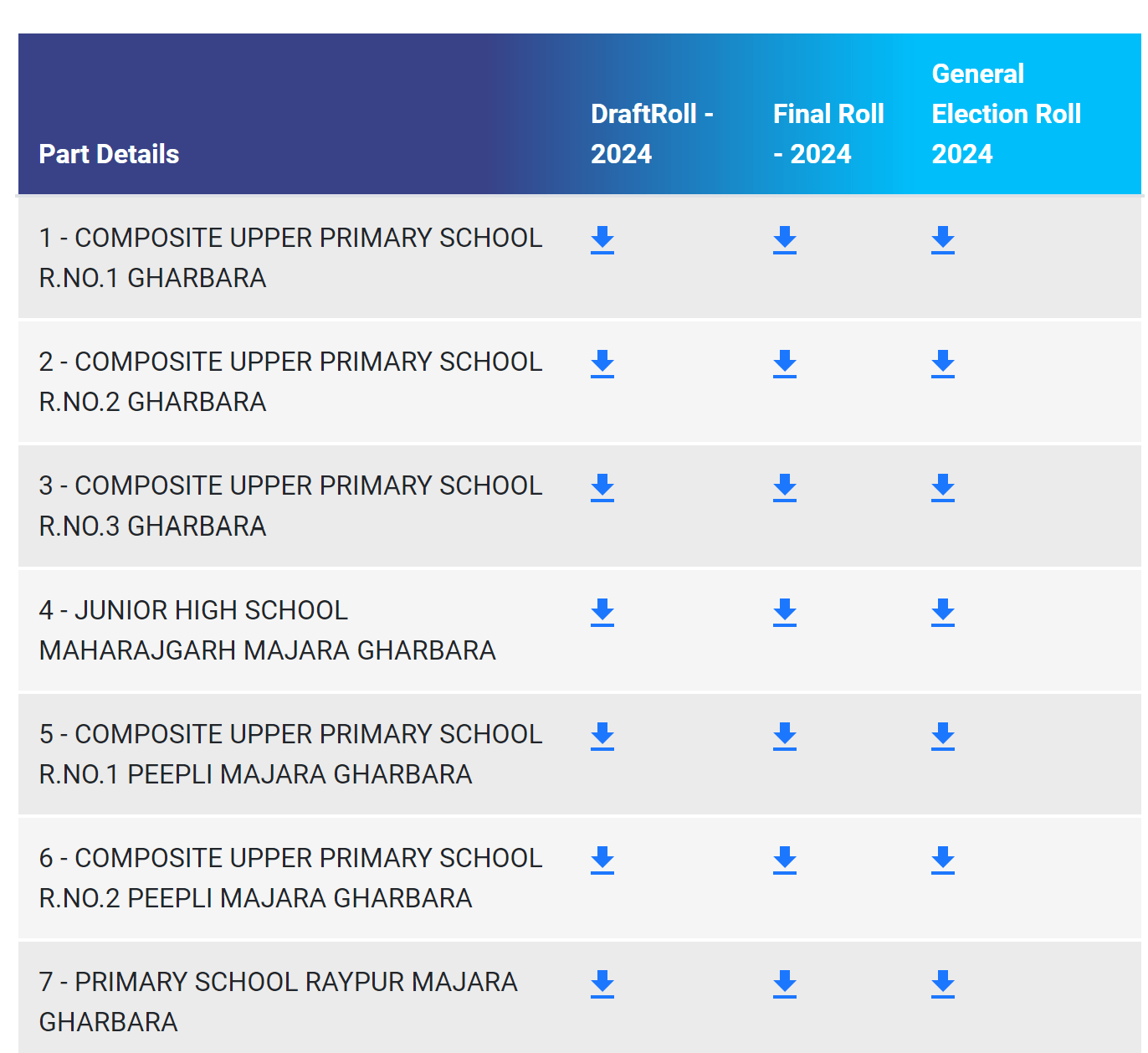
STEP 5 - Here candidates can click on the "Download Icon" under 'SIR Final Roll 2026' as shown below:
STEP 6 - Here candidates can enter the 'Captcha' and then click on the "Download" option to open the UP Voters List with Photo which will appear as shown below.
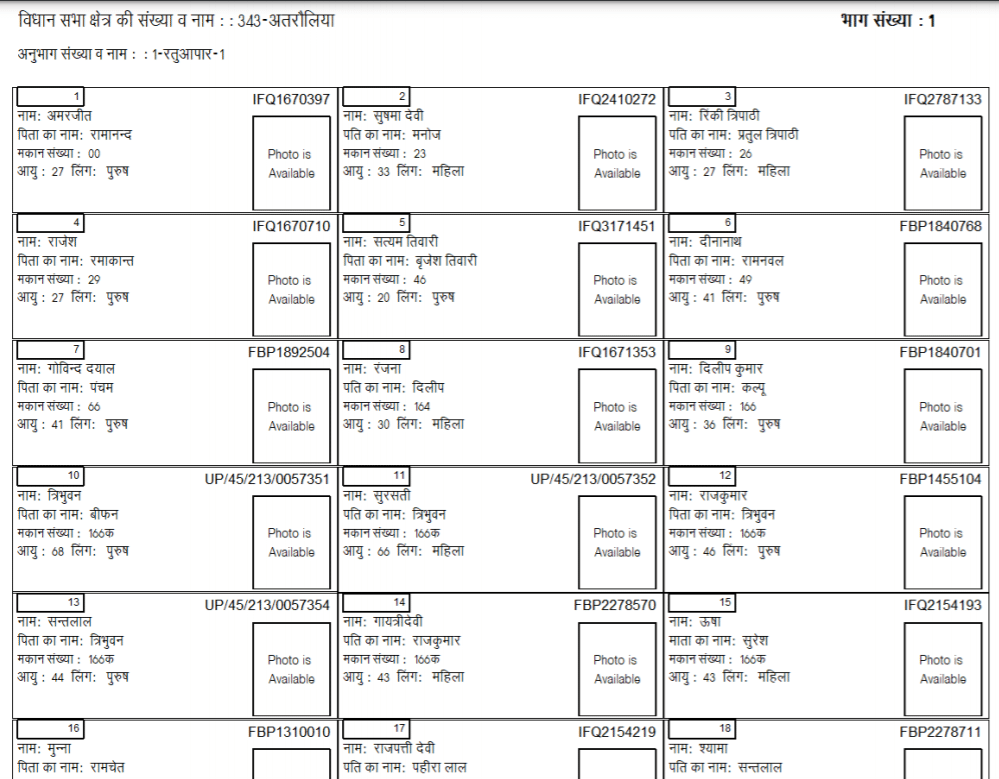
STEP 7 - Citizens can download this PDF electoral roll of Uttar Pradesh or UP Voter List with Photo.
In this downloaded UP PDF Voter List with Photo, citizens will have to find their name manually and download the Voter ID Card to make sure they can cast their vote.
UP Voter List 2026 Highlights
Here are the main details of the UP SIR Final Voter List released by the Election Commission of India:
| Detail | Information |
|---|---|
| Scheme Name | UP Voter List (SIR Final Electoral Roll) 2026 |
| Released By | Election Commission of India / CEO Uttar Pradesh |
| Release Date | April 10, 2026 |
| Total Voters | 13.39 crore |
| New Voters Added | 84.28 lakh |
| Names Deleted | Around 2.04 crore |
| Official Website | voters.eci.gov.in |
How to Download UP Voter ID Card PDF?
People can now download their Voter ID Card to cast their vote in elections. To download the UP Voter ID Card, people will first have to search their name online either by details or by EPIC number or by Mobile number.
Below is the step by step procedure to download the Uttar Pradesh Voter ID Card PDF
To download the Uttar Pradesh Voter ID card online as a PDF with your photo, follow this simplified procedure that involves navigating through the Election Commission of India (ECI) website and following a series of straightforward steps.
Access the ECI Website
Start by visiting the Election Commission of India (ECI) official website. You can access the site by clicking on this link voters.eci.gov.in. This is your gateway to various electoral services, including the electronic version of your voter ID card.
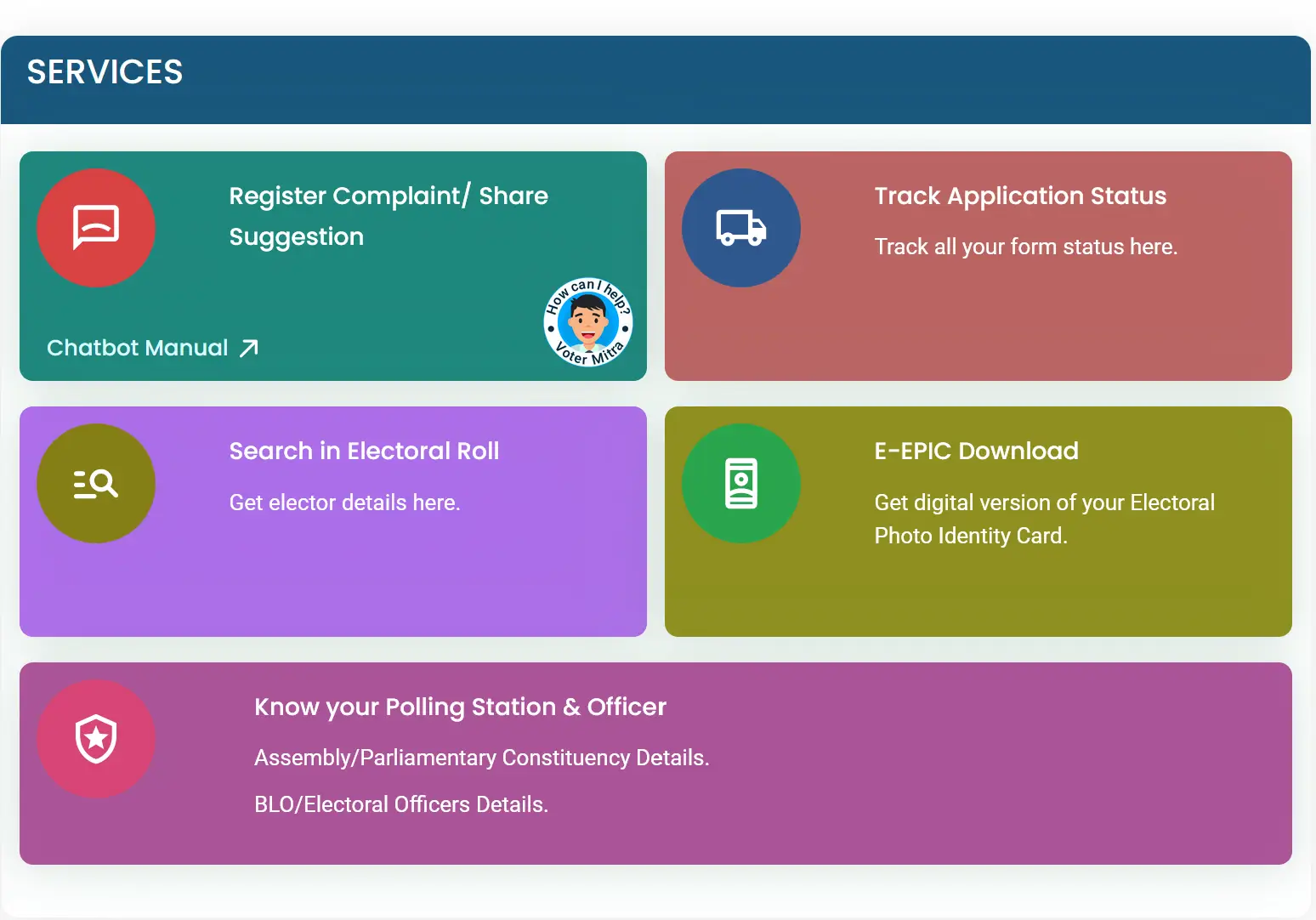
Navigate to e-EPIC Download
Once you arrive at the homepage, locate the "e-EPIC Download" section. This is designed to help voters download their digital voter ID card. Click on this link, and it will direct you to the necessary steps to access your e-EPIC.
Login or Sign Up
If you are a returning user, you'll need to log in. Enter your username and password on the provided fields and complete the CAPTCHA verification to proceed by clicking 'Log in'.
For those who are new to the ECI portal, you will need to create an account. Select 'Sign Up' on the login page, provide your mobile number, and complete the captcha to verify your identity. Follow the prompts to set up your account.
Enter Your EPIC Number
After logging in, enter your EPIC number, which is a 10-digit code found on your physical voter ID card. Make sure to select "Uttar Pradesh" as your state before you press the 'SEARCH' button. This will pull up your voter ID details from the system.
Verify Your Details
Review the displayed voter ID details carefully to make sure all the information is accurate. These details are very important as they confirm your identity and voting eligibility. If everything is correct, you will be asked to validate your mobile number by entering a One-Time Password (OTP) sent to your phone.
Download Your Voter ID Card
Upon successful mobile number verification, you can proceed to download your Voter ID card. Look for the download icon or button, usually found at the top or bottom of the page. Click this to download and save the PDF file of your Uttar Pradesh voter ID card to your computer or mobile device, making sure you have an official copy of your voter identification on hand.
After performing name search online, candidates would be able to download their Voters ID Card or Voter Slip. For more details on the digital voter ID card, check the e-EPIC digital voter ID card download guide.
Find Name Online in UP Voters List 2026
Below is the complete procedure to find your name online and download the Voter ID Card in Uttar Pradesh by performing name search using details:
All the people need to visit the official ECI Voters Portal at voters.eci.gov.in
At the homepage, click on the "Search in Electoral Roll" tab or directly click this link
The name find page will appear as shown below:
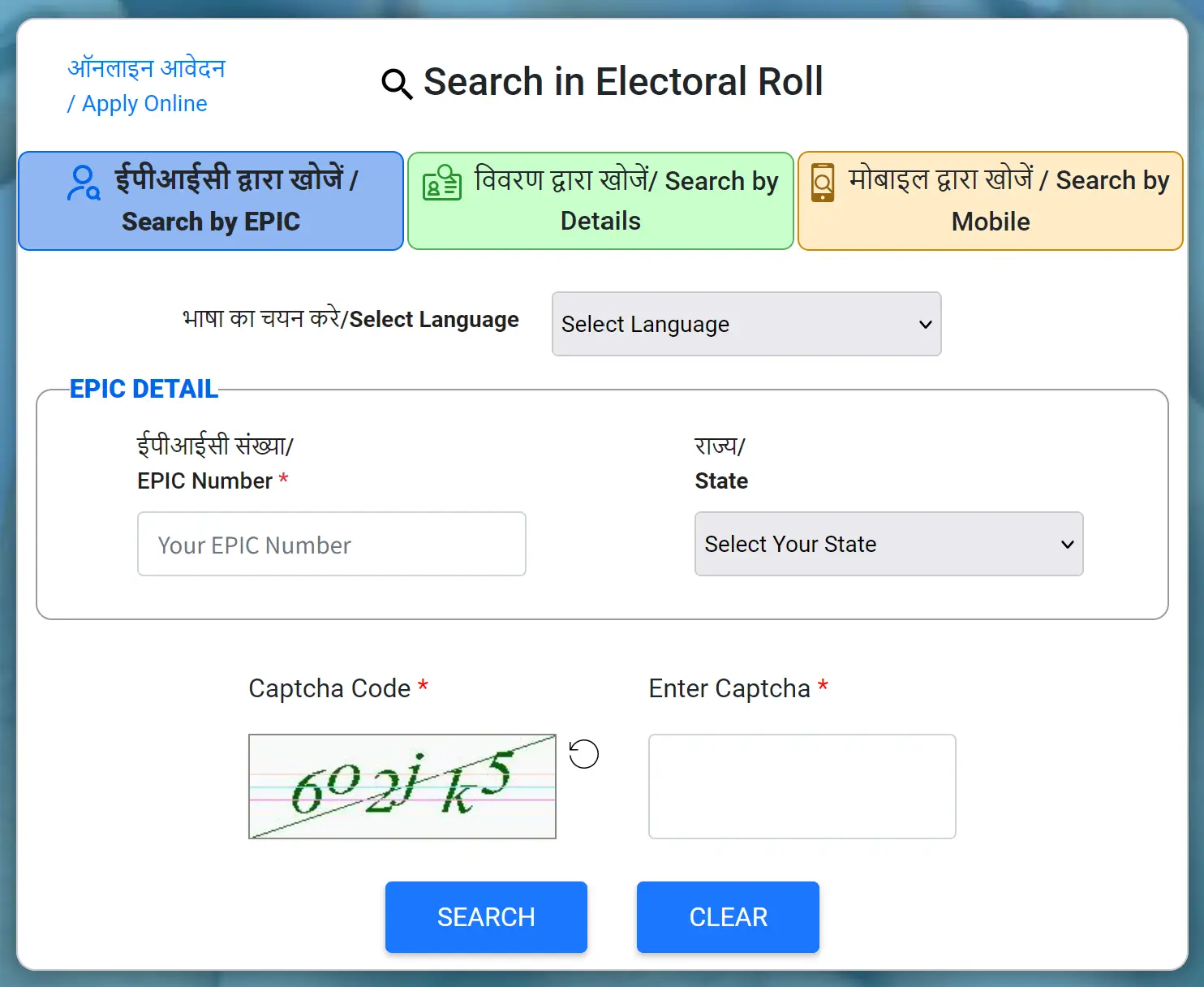
Here applicants can enter their name, age, date of birth, father/ husband name, gender, select state, district, assembly constituency and then click on the "Search" button.
Search Name Online in UP Voter List by EPIC Number / Mobile Number
You can also find your name in the voter list by using your Voter ID number or EPIC number and mobile number. You can switch between the tabs "Search by EPIC" or "Search by Mobile" at the same page.
Here applicants can enter their EPIC number or Mobile number, State, Code and then click on the "Search" button.
After entering all the details accurately, the applicant details as present in UP Voter List would be displayed.
Track UP Voter Application Status
The application status of the Voter ID card for new applications can be checked on the official ECI Voters portal at voters.eci.gov.in.
Below is the Step by Step Procedure to check the Voter Application Status
- Visit the ECI Voters Portal at voters.eci.gov.in
- Click on Login / Sign Up Link
- Create an account using your mobile number given at the time of Voter ID application.
- Verify your mobile number through OTP.
- After logging in, click on the Track Application or similar link.
- After clicking the Track application link, you will be shown the complete status of your voter ID card application.
FAQ's
How to check name in UP Voter List 2026?
Visit the ECI Voters Portal at voters.eci.gov.in, click on "Search in Electoral Roll", enter your details or EPIC number, fill the captcha and click on the Search button. Your name will appear if it is present in the list.
What to do if name is missing from the UP Voter List?
Submit Form 6 on the voter services portal if you are a new voter or have shifted to a new constituency. Use Form 8 for correction of entries. You can also contact the Booth Level Officer (BLO) of your area for help. The Voter Helpline App also lets you check your name and submit these forms from your phone.
How to download the UP Voter List PDF?
Visit the CEO UP website or the e-roll download page at voters.eci.gov.in, select Uttar Pradesh, choose your district and assembly constituency, enter the captcha and download the PDF.
sdcinpara1@gmail.com
Lakhrajlakhraj88@gmail.cam