

 AI Summary
Arunachal Pradesh voter list for 2026 is now available for download in PDF format. You can check if your name is on the voter list by visiting the official voting website or the Election Commission of India's website.
The latest SIR Draft Roll 2026 was published on 21 July 2026 by the office of the Chief Electoral Officer, Arunachal Pradesh. You can also download the final electoral roll and the supplementary lists polling station wise, assembly constituency wise and district wise in PDF format.
Download Arunachal Pradesh Voter List 2026 PDF
Downloading the voter list is easy. Just follow these steps.
STEP 1 - Go to the Election Commission website by visiting this link: Download Electoral Roll
STEP 2 - Choose Arunachal Pradesh from the list of states.
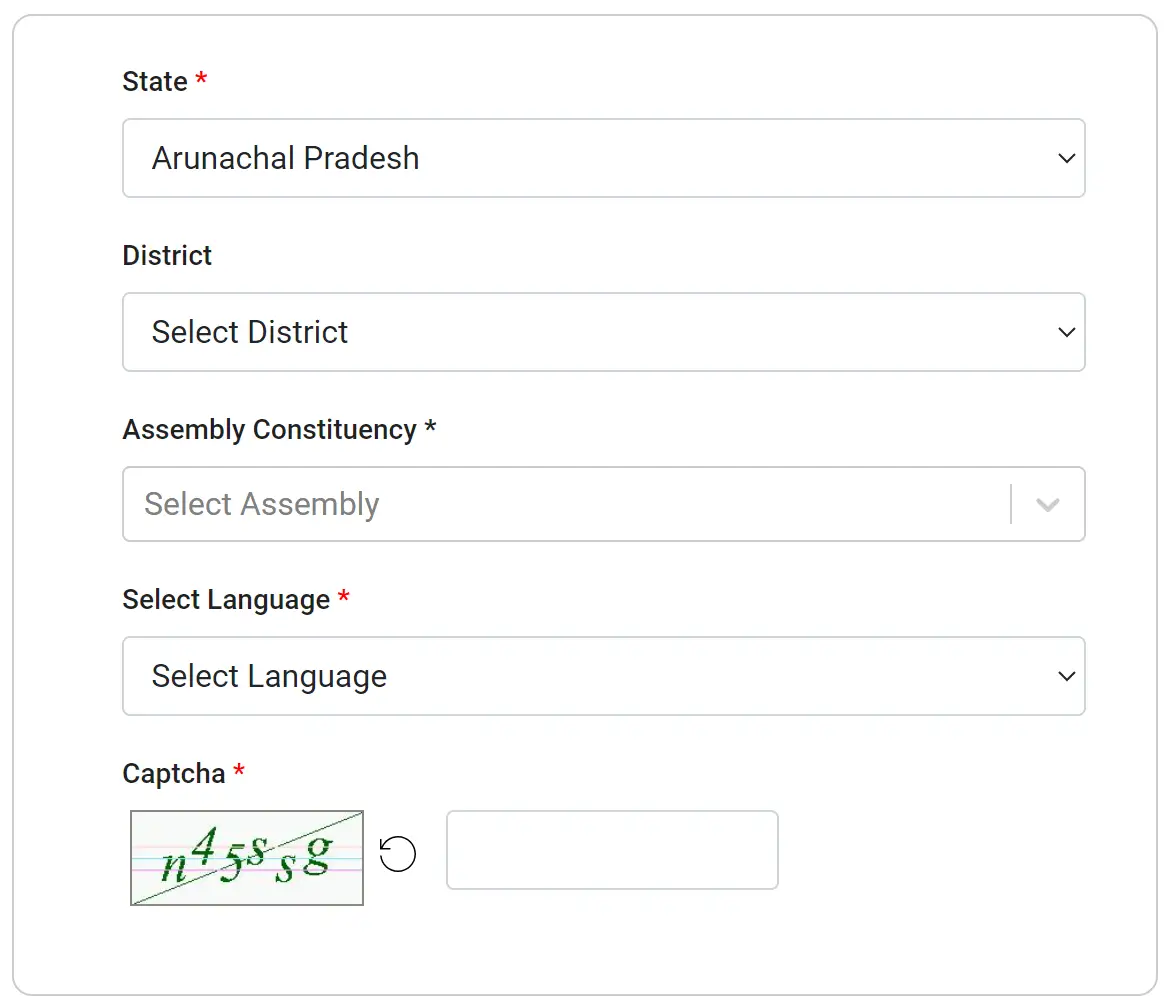
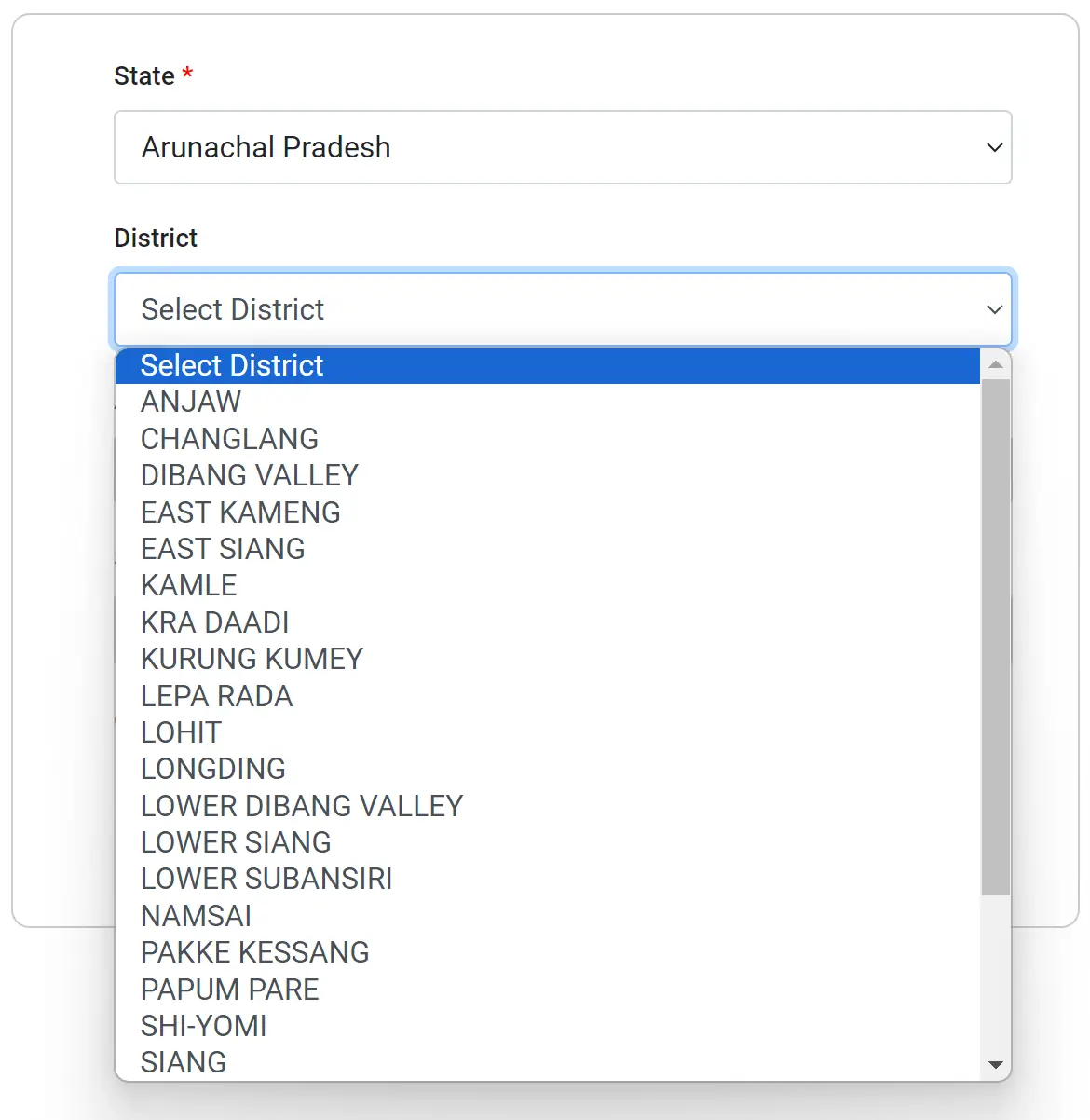
STEP 3 - Now pick your district from the next list.
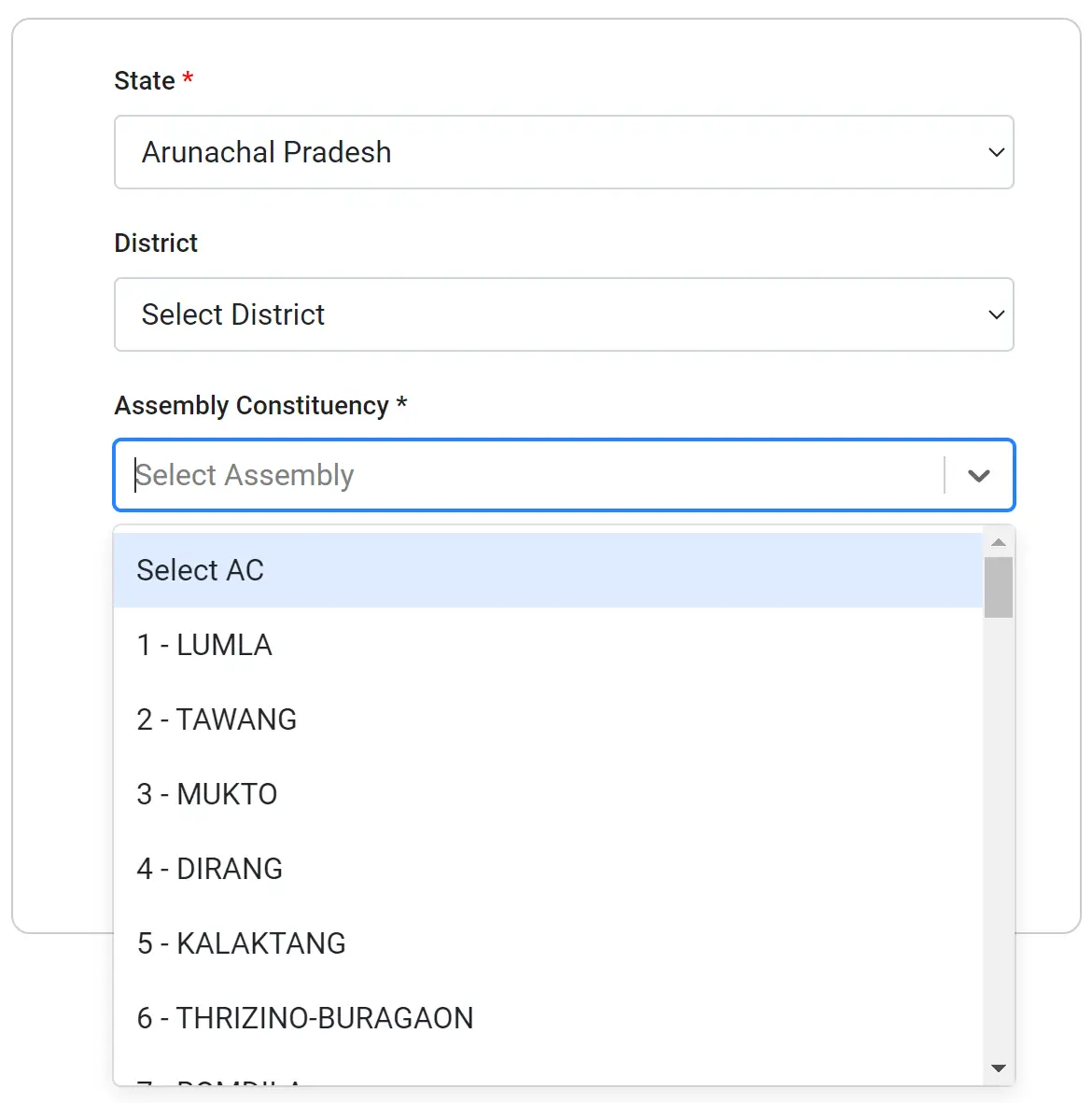
STEP 4 - Choose your assembly constituency from the list.
STEP 5 - Find your polling station or area in the list to download the electoral roll PDF. Click on the download icon in front of your polling station name and under the SIR Draft Roll 2026 or General Election Roll 2026 column to get the list.
STEP 6 - Save the file on your computer or phone. You can rename it if you want. In the saved file, you can check your name by searching within the PDF.
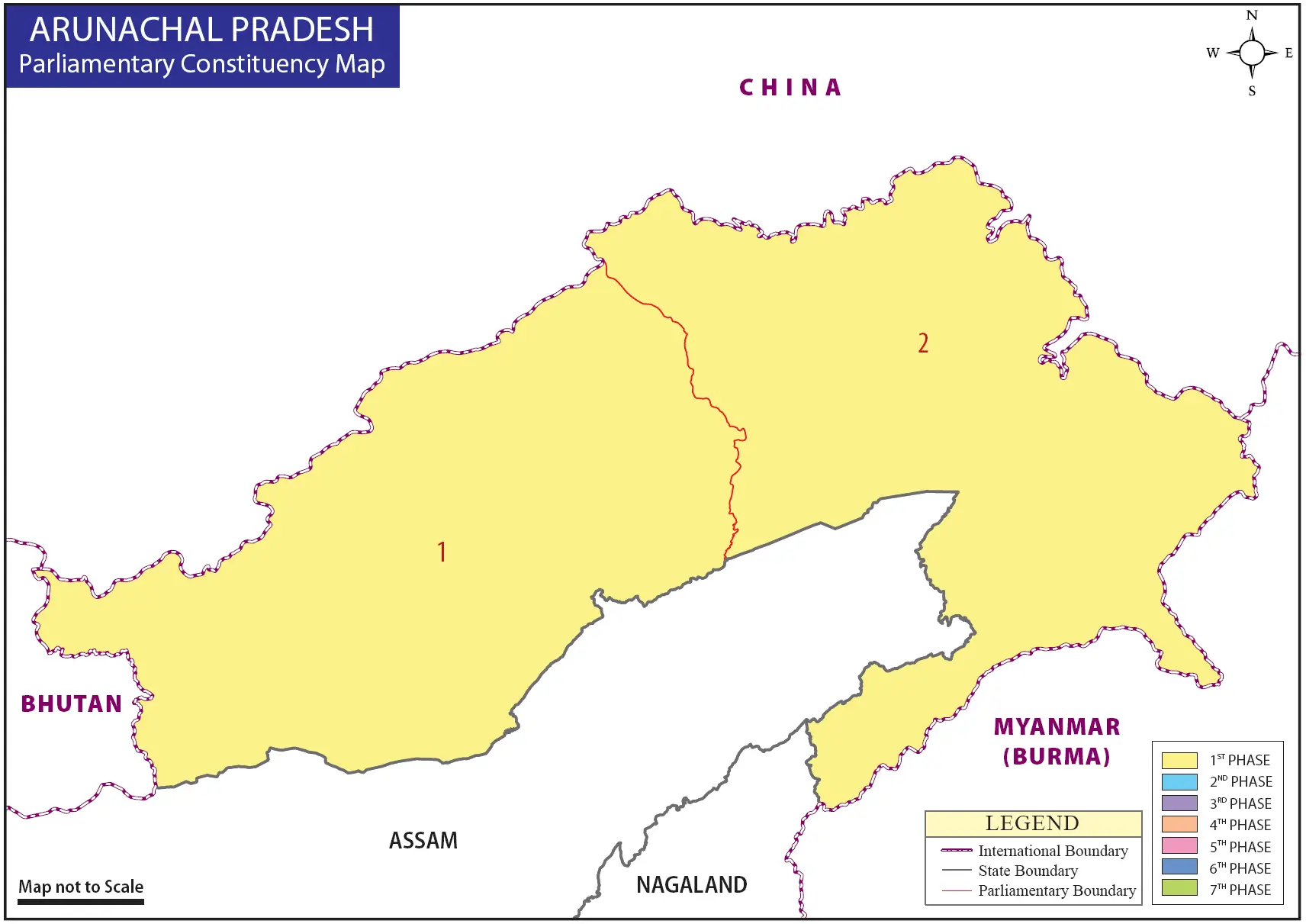
Map of Arunachal Pradesh's Parliamentary Constituencies
How to Check Your Name in the Voter List
You can check your name in the voter list using several methods.
1: Check in the PDF
Open the PDF you downloaded and look for your name and your father's name.
2: Check with Your Phone Number
You can check your name in the Arunachal Pradesh 2026 electoral roll by visiting the electoral search section of the ECI website at this link: Electoral Search
After visiting this link, select "Search by Mobile" and then select your state/language, enter your phone number and the captcha text.
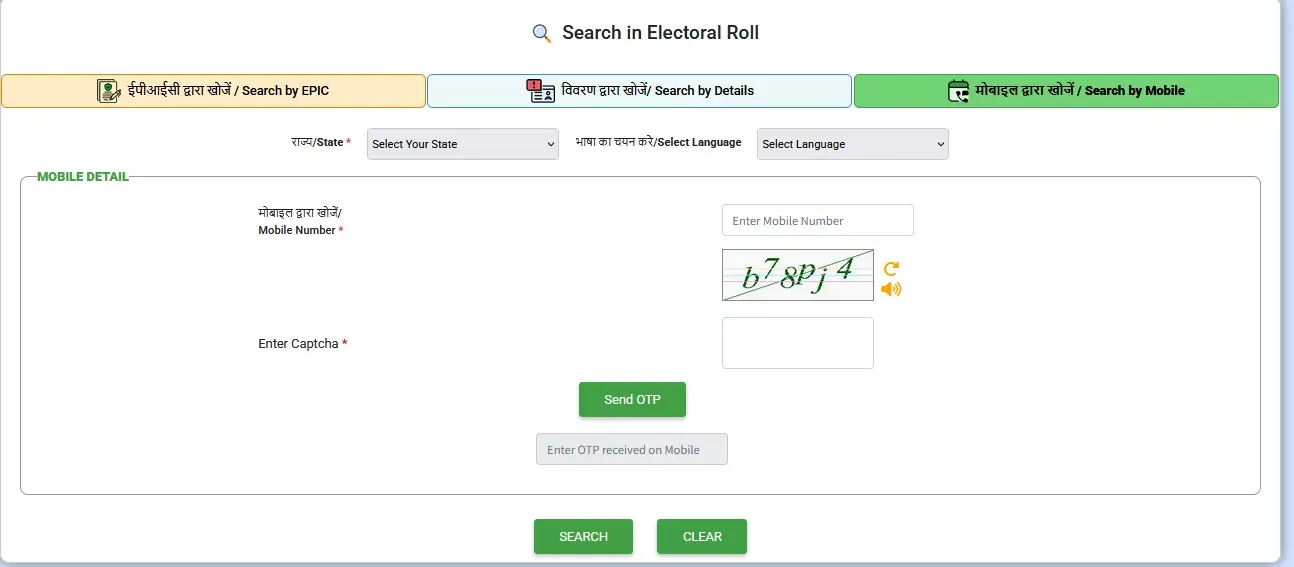
Note: If your mobile number is registered on the voters portal or along with the voter ID card in Form 8, only then will you be able to find your name by mobile number.
If your phone number is not registered in Form 8, then you can check your name in the Arunachal Pradesh voters list by using your details or EPIC number.
3: Check Name by EPIC Number (Voter ID Number)
EPIC number or voter ID number is a 10 digit alphanumerical code which is printed on your voter ID card. You can use this number to check your name in the voters list.
Simply visit the same link and select the "Search by EPIC" tab, enter your EPIC (Electoral Photo Identity Card) number, select the state (not mandatory), enter the captcha text and then click the "Search" button.
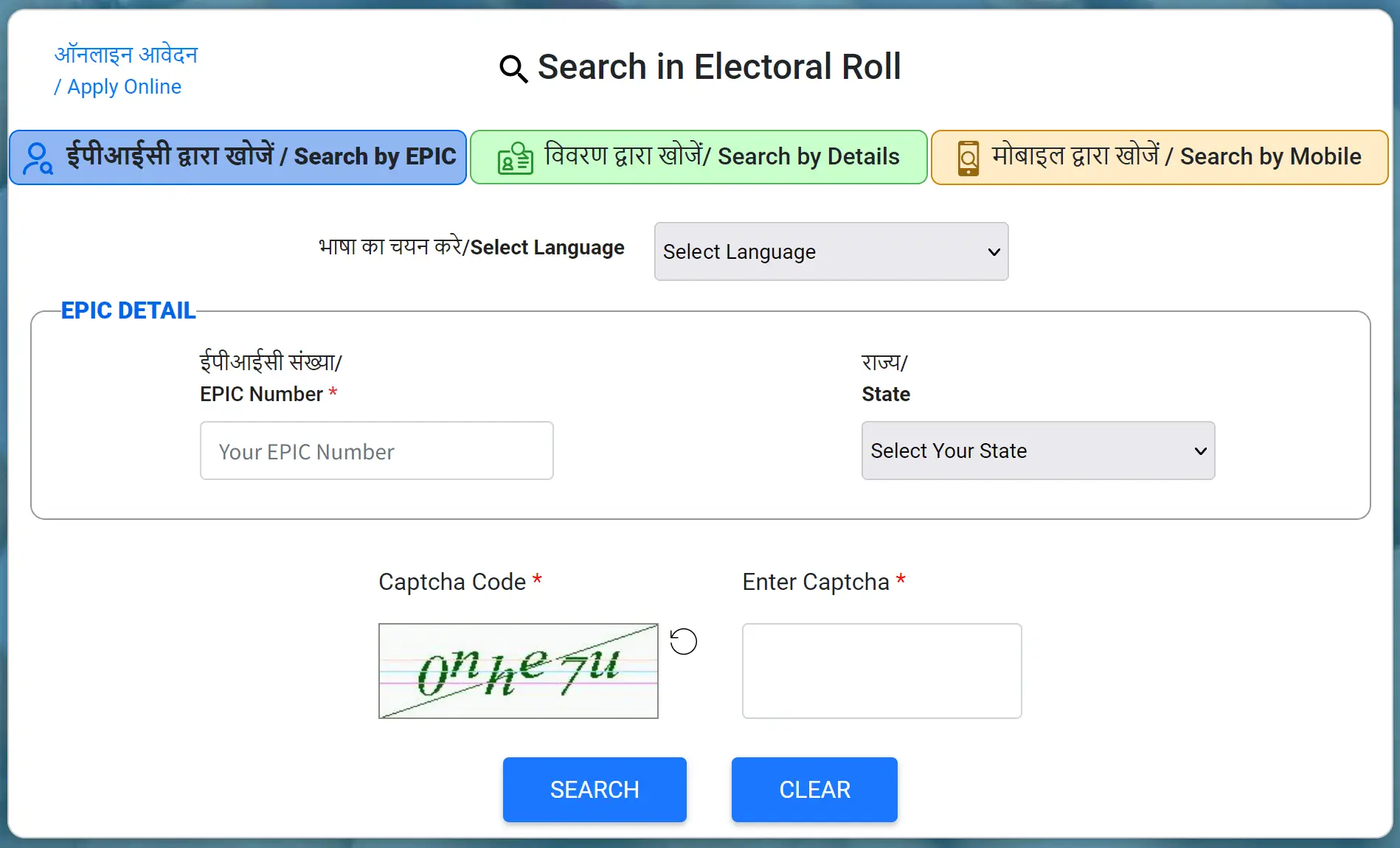
All the details of the voter will be displayed. If the EPIC number is incorrect, a message will be shown.
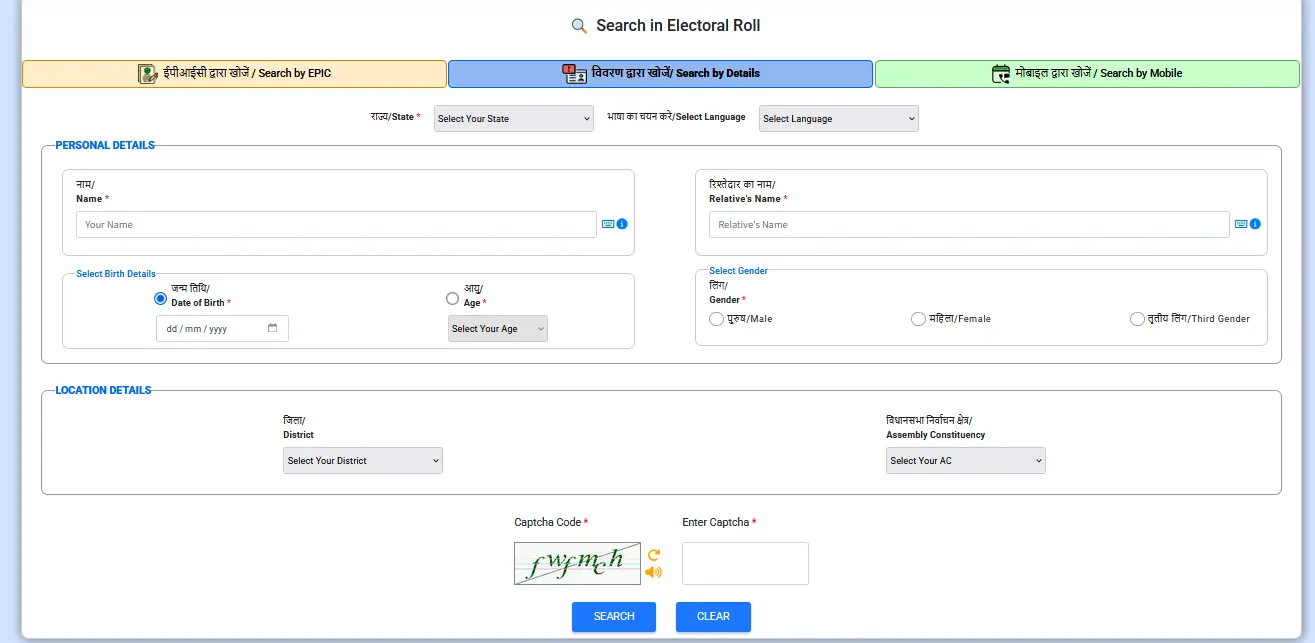
4: Check Name by Details
You can also find your name in the Arunachal Pradesh voter list for 2026 by providing your personal information like name, date of birth, gender, father's name, state, and district. To do this, choose the "Search by Details" option on the webpage, fill in the necessary details, and then click on the "Search" button.
How to Download Your Voter ID Card Online
You can easily download a PDF of your Arunachal Pradesh voter ID card with a photo from the Election Commission of India's official website by following a simple process. Below are the step-by-step instructions to download your voter ID card or e-EPIC (Electoral Photo Identity Card).
Visit the Official ECI Website
Go to the official website of the Election Commission of India by visiting the following link: Voters Portal
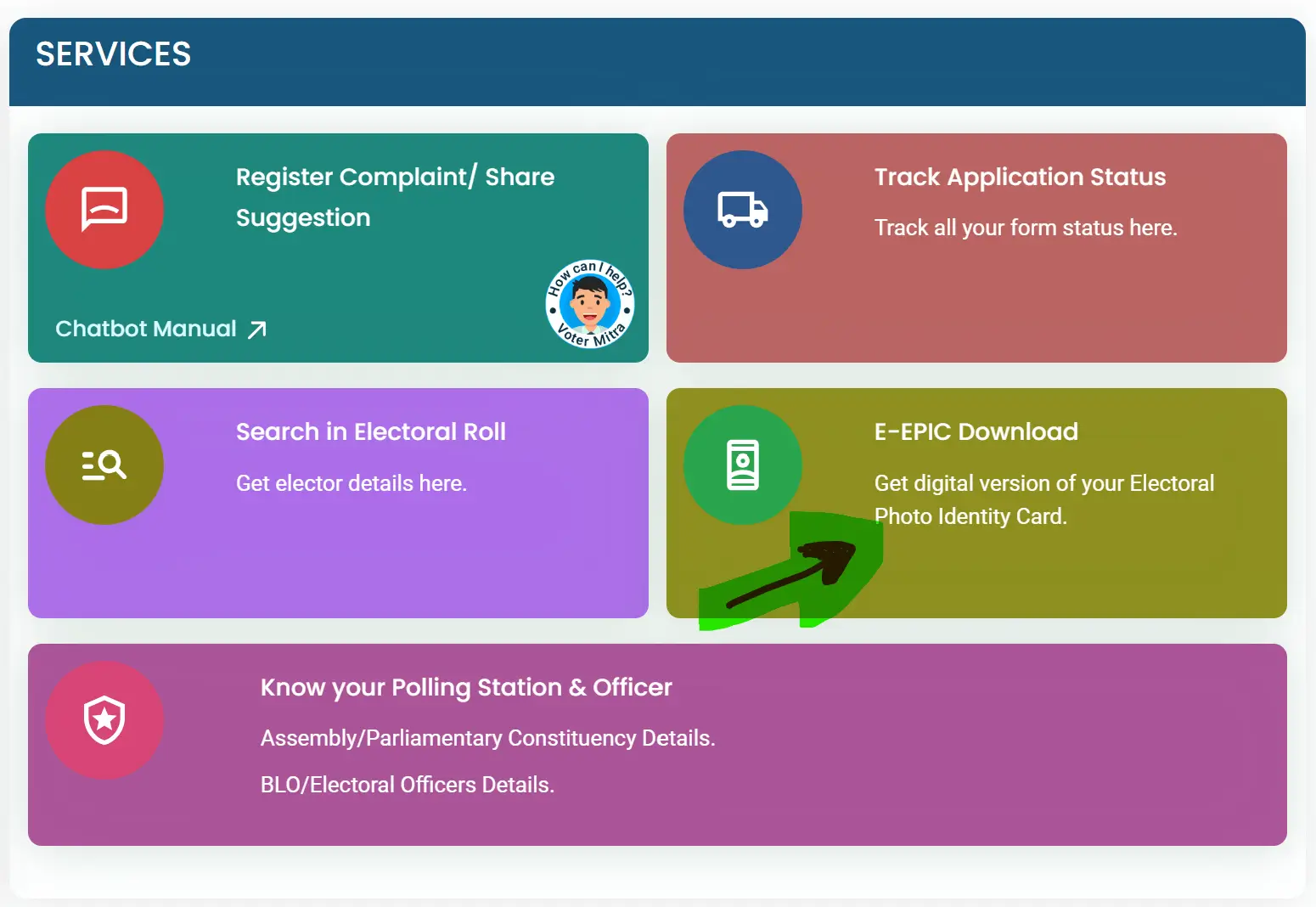
Click e-EPIC Download Link
Choose the e-EPIC Download option from the available options as shown in the below image.
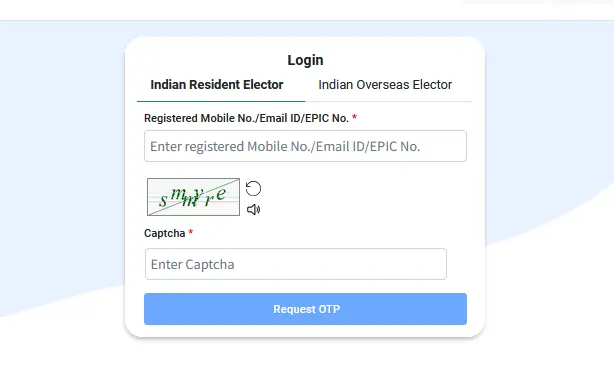
Login
On the next page, if you are an existing user, log in using your username and password. Complete the CAPTCHA verification and click on 'Log in'.
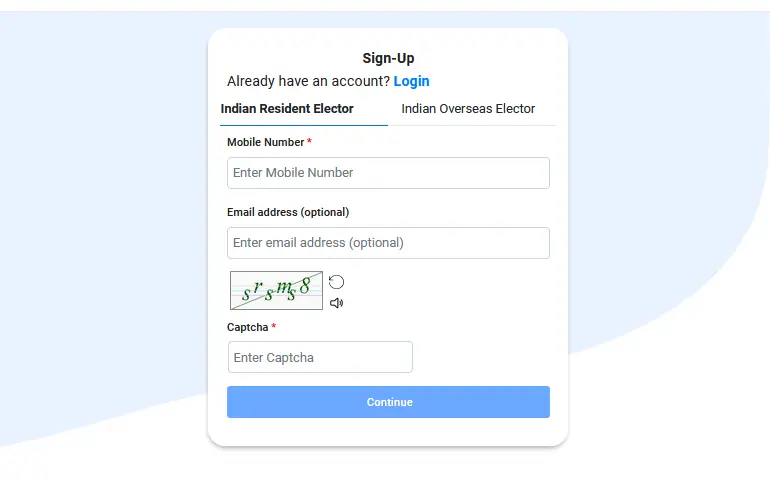
Sign Up
If you do not have an existing account on the ECI portal, then select 'Sign Up'. Provide your mobile number and enter the captcha code to create your account.
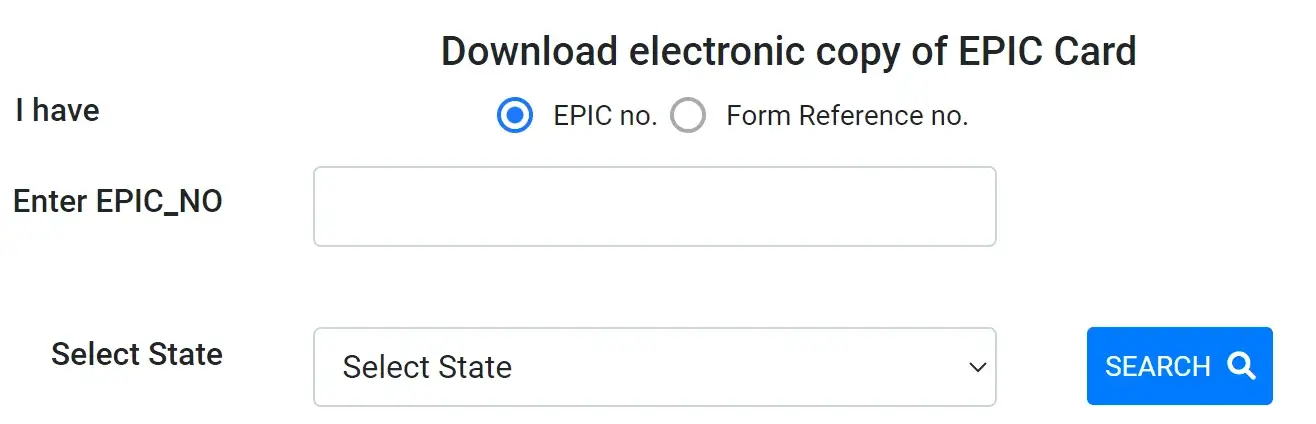
Enter EPIC Number
Type your 10 digit EPIC (voter ID card) number, select your state and click the 'SEARCH' button.
Your Voter ID Details
Your Arunachal Pradesh voter ID details will appear on the screen. Review the information for accuracy and validate your mobile number using an OTP.
Download Voter ID Card PDF
Now, click on the download icon or button to download your Arunachal Pradesh voter ID card PDF to your computer or mobile.
I lost Election Id card on last election
You can download your voter ID card through online mode if you have your voter number.