

 AI Summary
Punjab Voter List 2026, officially known as the Electoral Roll, is a public document maintained by the Chief Electoral Officer (CEO), Punjab, under the guidance of the Election Commission of India (ECI). It carries the names of all eligible voters for state and parliamentary elections. Keeping the list updated is very important for fair democratic participation.
Citizens of Punjab can check their enrollment status and download the complete electoral roll for their district and assembly constituency online through the official ECI portals (CEO Punjab official website).
Punjab Voter List 2026
All citizens can check their name in the district wise CEO Punjab Voters List 2026 with Photo and download Voter ID Card. The updated Electoral Rolls with Photo are available in PDF format where people can find their name in the CEO Punjab Voter List 2026 and download Voter ID Card before casting their vote.
The entire PDF file of the Punjab Electoral Roll (Voter List) 2026 is now available. Here citizens can search manually in the Punjab Voter List 2026. Moreover, people can adopt an easy process and check their names online.
| Detail | Information |
|---|---|
| Scheme Name | Punjab Voter List (Electoral Roll) |
| Maintained By | CEO Punjab / Election Commission of India |
| Latest Update | SIR Draft Electoral Roll 2026 released on 13 August 2026 |
| Claim / Objection Last Date | 12 September 2026 |
| Check Name Online | electoralsearch.eci.gov.in |
| Official Website | ceopunjab.gov.in |
CEO Punjab Voter List 2026 with Photo PDF Download
Below is the complete procedure to find your name in the Punjab CEO Voters List with Photo and download the complete PDF electoral rolls:-
STEP 1: Visit the E-Roll download link on the ECI's dedicated download page: ECI Electoral Roll Download
STEP 2: Select state, choose "Punjab" from the drop-down list.
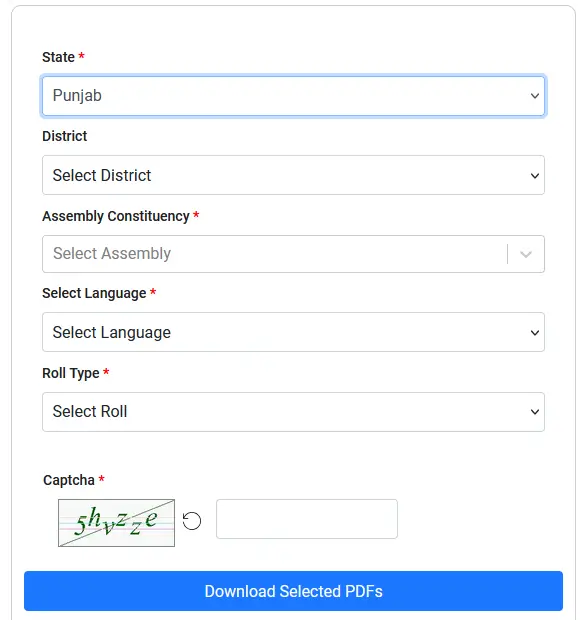
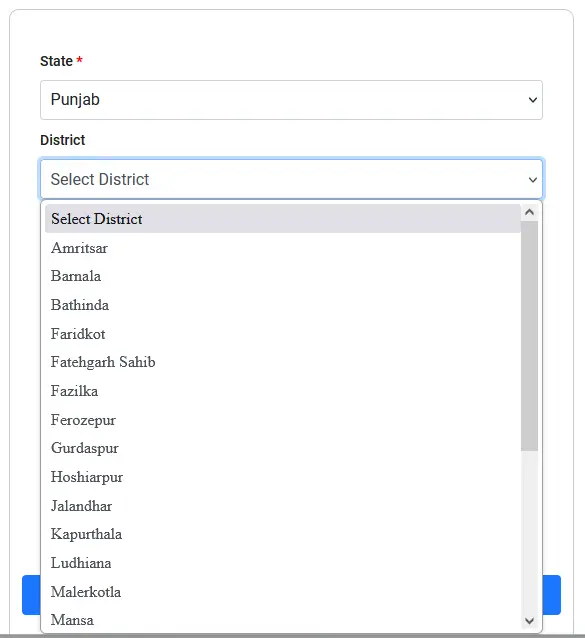
STEP 3: Select district, pick your respective district from the list (e.g., Patiala, Ludhiana, Amritsar, etc.).
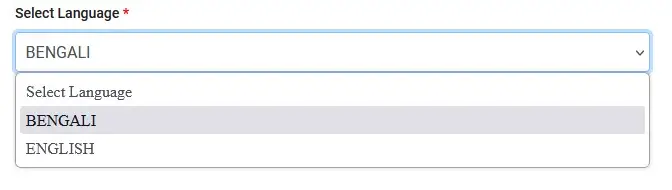
STEP 4: Select language, choose the language for the PDF. Select the specific Assembly Constituency where you reside (e.g., Bathinda Urban, Kharar, Amritsar East, etc.).
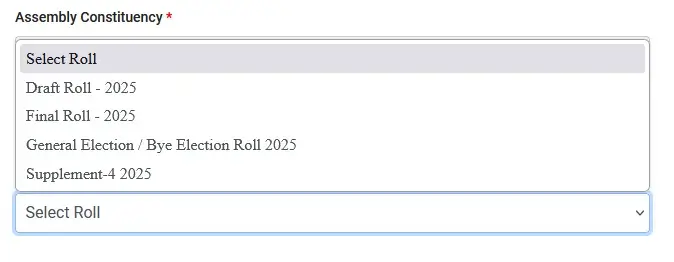
STEP 5: Select roll type, choose the desired Roll Type. For the latest list, pick the SIR Draft Roll 2026 or the Final Roll. Search for and select your specific Polling Station / Area (also referred to as the Part Number).
STEP 6: Enter the CAPTCHA text and click the "Download Selected PDF's" button to save the electoral roll file to your device.

People can download this Punjab Voter List with Photo and find their name manually in the CEO Punjab Voters List 2026.
Find Name Online in Punjab CEO Voters List 2026
All citizens can also find their name online in the Punjab CEO Voters List 2026 and download the voter ID card through the link below: ECI Search in Electoral Roll
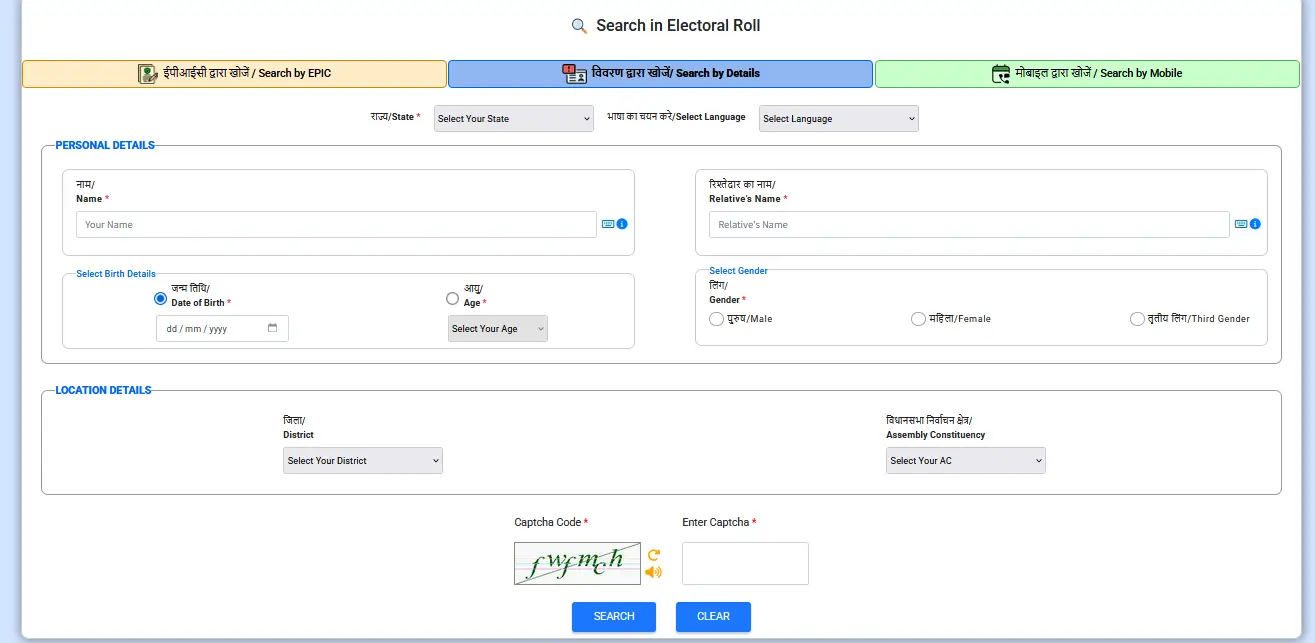
Here citizens can enter their name, date of birth, father / husband name, gender, state, district, assembly constituency and then click at "Search" button to find their name in the CEO Punjab Voter List 2026.
Punjab SIR Draft Voter List 2026
CEO Punjab released the second round of the Special Intensive Revision (SIR) draft electoral roll 2026 on 13 August 2026. The draft list is available on the official CEO Punjab website with color coded links. The blue "SIR ASDD LIST" shows names deleted from the voter list, while the green "DRAFT ROLL 2026" shows names of voters whose entries were found correct during verification.
Voters can check their name in the draft list by selecting their district and assembly constituency, entering the captcha, and downloading the PDF of their polling part. Those who do not know their booth or serial number can first find it on the ECI portal Voters' Services Portal by entering their EPIC number and state.
If a name is missing from the draft list or appears in the deleted list, a claim can be filed through Form-6, both online and offline. Claims and objections must be submitted by 12 September 2026. The final voter list will be published after verification of these claims.
FAQ's
How to check name in Punjab voter list?
Visit the ECI electoral search portal at electoralsearch.eci.gov.in, enter your details like name, date of birth, state, district and assembly constituency, and click on Search. You can also download the district wise electoral roll PDF from the CEO Punjab website.
What to do if my name is missing from the Punjab voter list?
File Form-6 online through the Voters' Services Portal or offline with the nearest BLO, SDM or Tehsildar office. Attach proof of age, proof of residence and a self-declaration, and collect a receipt after submission. Claims can be filed till 12 September 2026 for the SIR draft roll 2026.
How to download Voter ID card in Punjab?
Find your name in the electoral roll through the ECI search portal, then download the Voter ID card (EPIC) PDF from the Voters' Services Portal at voters.eci.gov.in using your EPIC number and state details.
ਕੰਵਲਜੀਤ ਸਿੰਘ ਪਿਤਾ ਰਾਮ ਕ੍ਰਿਸ਼ਨ ਸਿੰਘ- ਪਿੰਡ ਸੋਮਲ ਖੇੜੀ, ਡਾਕਖਾਨਾ ਮਲੌਦ.ਜਿਲਾ ਤਹਿਸੀਲ ਪਾਇਲ ,ਲੁਧਿਆਣਾ
ਬੇਨਤੀ ਹੈ ਕਿ ਸਾਡਾ ਮਲੌਦ ਏਰੀਆ ਦੇ ਜਿੰਨੇ ਵੀ ਪਿੰਡ ਲੱਗਦੇ ਹਨ ਉਨਾਂ ਵਿਚ ਸਾਡਾ ਪਿੰਨ ਕੋਡ 141419 ਪ੍ਰਿੰਟ ਹੋ ਕੇ ਆ ਰਿਹਾ ਹੈ ਜੀ ਪਰ ਸਾਡਾ ਸਹੀ ਪਿੰਨ ਕੋਡ 141119 ਹੈ ਜੀ ਸੋਫਟਵੇਰ ਵਿਚ ਗ਼ਲਤ ਹੈ ਜੀ ਕਿਰਪਾਲਤਾ ਕਰਕੇ ਇਸ ਨੂੰ ਸਹੀ ਕੀਤਾ ਜਾਵੇ ਆਪ ਜੀ ਦੇ ਧਨਵਾਦੀ ਹੋਵਾਂਗੇ ਜੀ
Please halp me
What help you need dear...if you need Lockdown pass in Punjab, go here http://sarkariyojana.com/punjab-coronavirus-lockdown-pass/