

 AI Summary
Voters List 2026, or the Electoral Roll, is the main document for democratic participation in India. It lists every citizen who is eligible to cast their vote in an election. For citizens of the Union Territory of Dadra and Nagar Haveli and Daman and Diu, checking their name in the latest electoral roll is a basic civic duty.
Election Commission of India (ECI) and Chief Electoral Officer (CEO) of the Union Territory regularly update and publish this list. Special Intensive Revision (SIR) 2026 draft electoral roll was published in July 2026, and the final roll follows the same process every year. This guide explains how to check your name, download the official list, and get your digital Voter ID card (e-EPIC).
Step-by-Step Guide to Downloading the Dadra and Nagar Haveli Voter List PDF
Downloading the complete district-wise or polling station-wise list is a simple process done through the Election Commission of India's official website ECI E-Roll Download Portal. The UT election department page at dnh.gov.in/election-department also carries the latest SIR-2026 draft roll notices and voter forms. Follow these steps to access the latest Final Electoral Roll (E-Roll) PDF:
STEP 1: Visit the ECI E-Roll Download Page. The first step is to navigate to the official E-Roll Download link on the ECI website: https://voters.eci.gov.in/download-eroll
STEP 2: Select the State/Union Territory. On the page, select Dadra and Nagar Haveli and Daman and Diu from the drop-down menu for the State Name field.
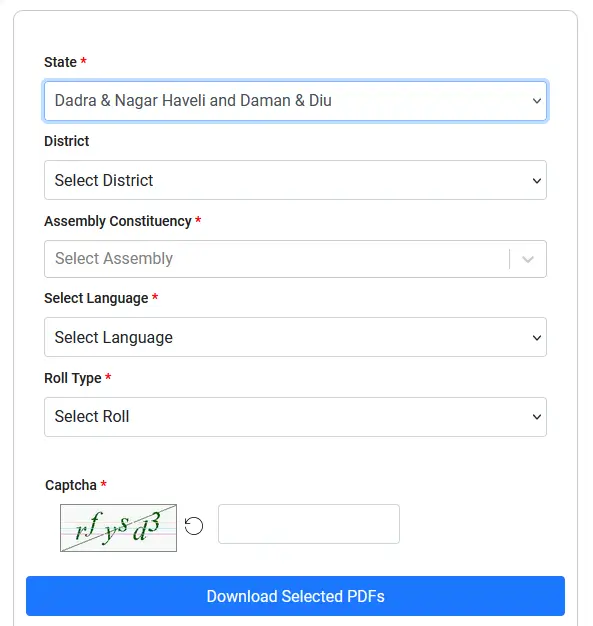
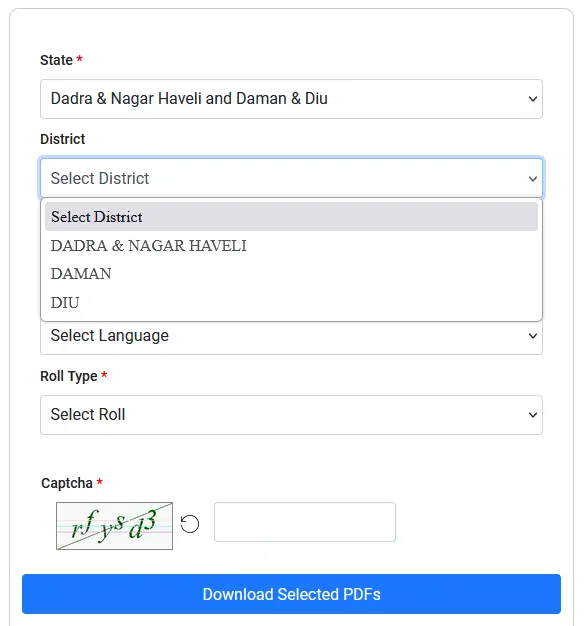
STEP 3: Choose your district. After selecting the UT, a list of available districts will appear. Select your specific district within the region.
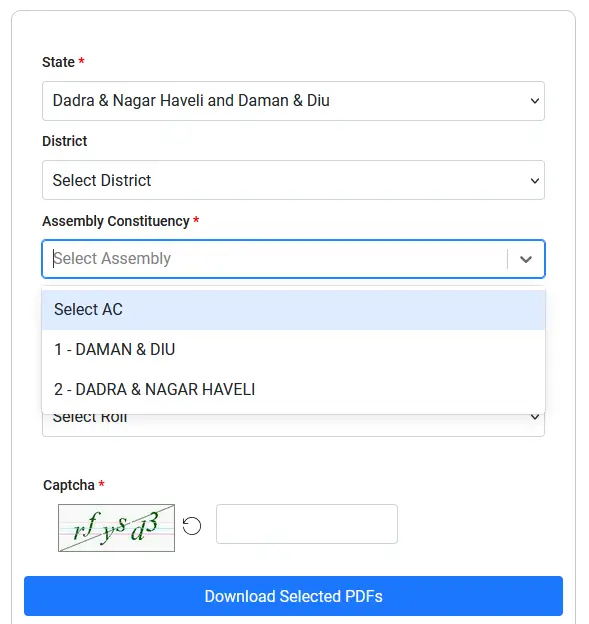
STEP 4: Select your assembly constituency. A district is often divided into several Assembly Constituencies (ACs). Select the AC relevant to your residence. The region includes constituencies like Daman & Diu and Dadra & Nagar Haveli.
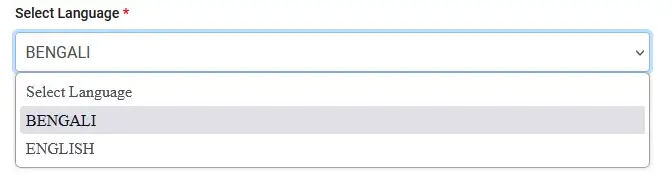
STEP 5: Choose the language. Select the preferred language (for example, English or Hindi) for the PDF file.
STEP 6: Select the roll type. Choose the desired roll type, such as the Final Electoral Roll for the current year. The Electoral Roll is organized by Part Number, which matches a specific Polling Station or area. Search and select the Part Number(s) for the area you are interested in.

STEP 7: Enter the visible CAPTCHA text and click on the 'Download Selected PDF's' button.

The file(s) will be processed and downloaded to your device, which you can then save and rename.
Dadra and Nagar Haveli Voter List Highlights
| Detail | Information |
|---|---|
| Scheme Name | Dadra and Nagar Haveli Voter List (Electoral Roll) |
| Published By | Election Commission of India (ECI) |
| Union Territory | Dadra and Nagar Haveli and Daman and Diu |
| Current Roll | Draft Electoral Roll SIR-2026 (published July 2026) |
| Check Name Online | electoralsearch.eci.gov.in |
| Download E-Roll | voters.eci.gov.in/download-eroll |
| Official Website | voters.eci.gov.in |
Methods to Check and Verify Your Name in the Voters List
If you do not wish to download the entire list, the ECI portal provides multiple ways to quickly search and verify your inclusion in the Dadra and Nagar Haveli Electoral Roll: https://electoralsearch.eci.gov.in/. Similar voter list guides for other states and UTs are also available, like the Chandigarh Voter List.
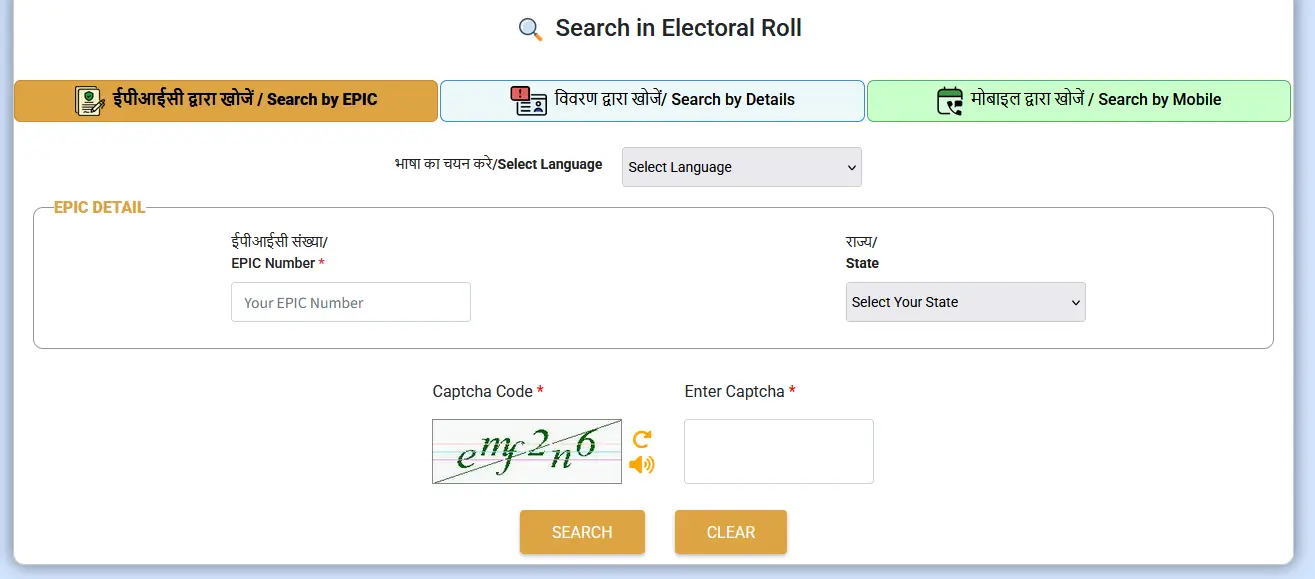
1. Search by EPIC Number (Voter ID)
The EPIC (Electoral Photo Identity Card) Number is the 10-digit alphanumeric code printed on your Voter ID card. This is the most reliable search method. Visit the electoral search section. Select 'Search by EPIC'. Enter your EPIC number, select the state (optional), and enter the CAPTCHA. Click 'Search' to view your voter details.
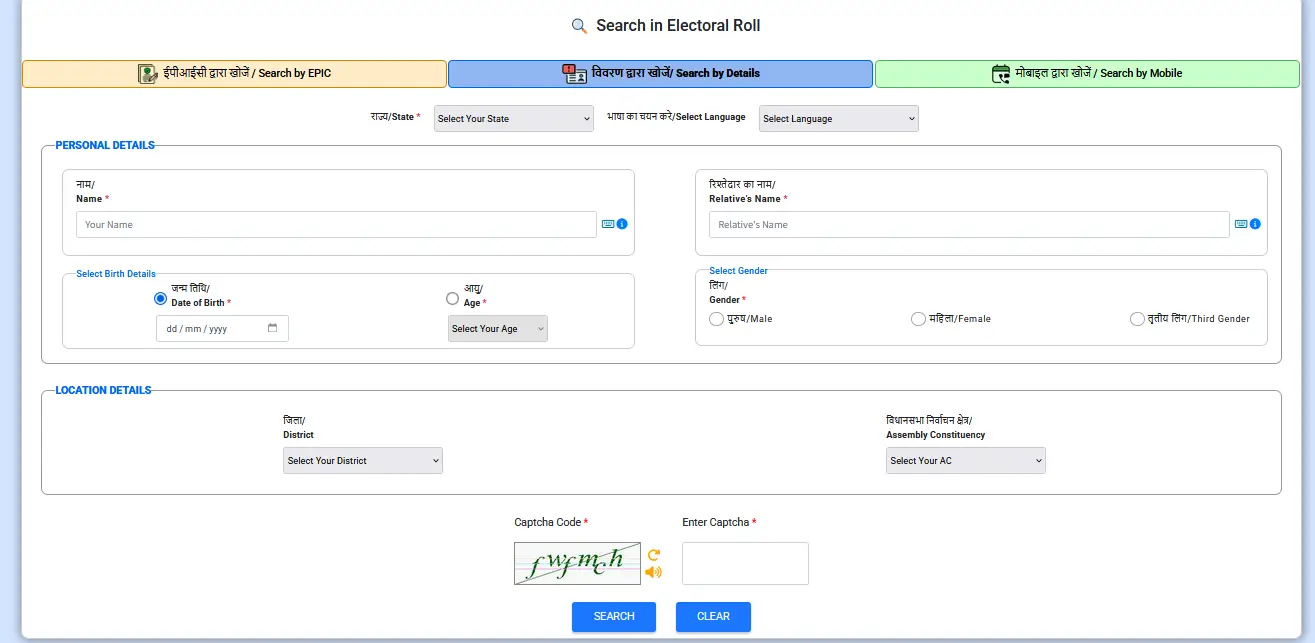
2. Search by Personal Details
You can find your name by providing personal identifying information. Select 'Search by Details'. Enter required information such as your full Name, Date of Birth (DOB), Gender, Father's/Husband's Name, and District/AC. The system searches for matching entries in the Electoral Roll.
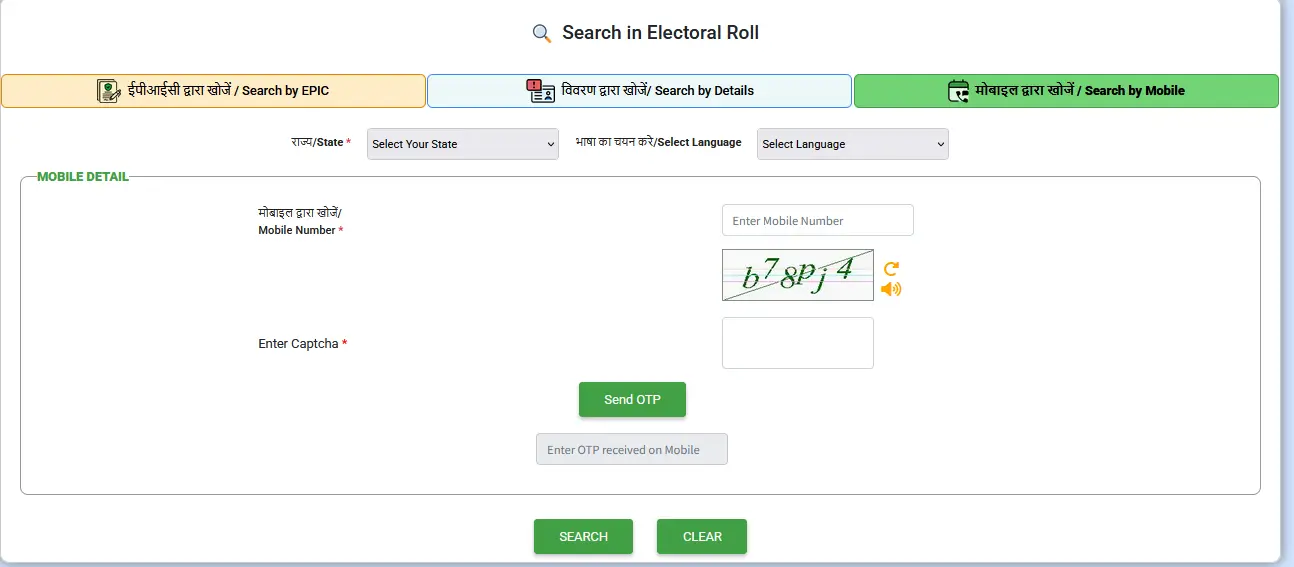
3. Search by Phone Number
This method is only applicable if your mobile number is already registered and linked with your voter details (usually through Form 8). Select 'Search by Mobile'. Enter your registered phone number. After entering the CAPTCHA, click 'Send OTP'. Enter the OTP received on your mobile phone to view your details.
4. Check in the Downloaded PDF
Once the polling station-wise PDF is downloaded using the guide above, you can simply open the document on your device and manually search for your Name and Father's/Husband's Name within the electronic file.
How to Download the e-EPIC (Voter ID Card) Online
Election Commission of India allows voters to download their digital Voter ID card, known as the e-EPIC, which is a secure PDF document that serves as a valid photo identity proof.
Visit the ECI Website: Go to the official ECI portal https://eci.gov.in or the Voter Portal at voterportal.eci.gov.in
Access e-EPIC Download: Locate and select the e-EPIC Download option.
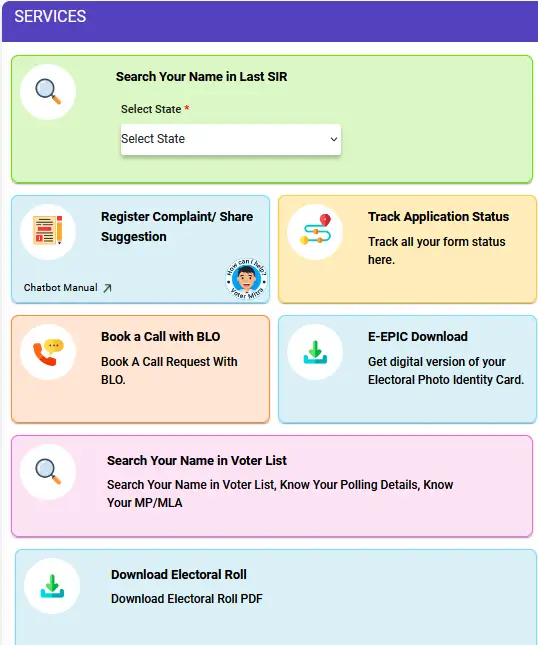
Login/Sign Up:
Existing Users: Log in using your registered username and password.
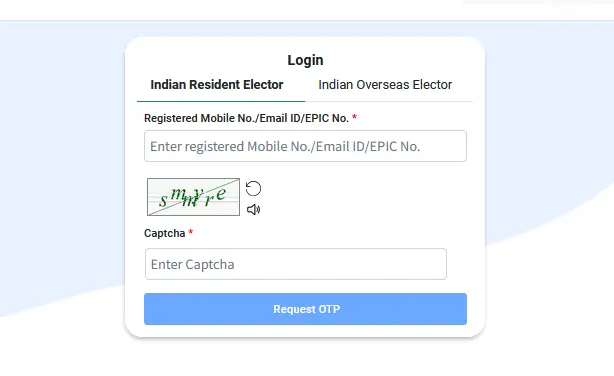
New Users: Select 'Sign Up' and register a new account using your mobile number and CAPTCHA verification.

Enter EPIC Number: After logging in, type in your 10-digit EPIC (Voter ID Card) Number and select your state.
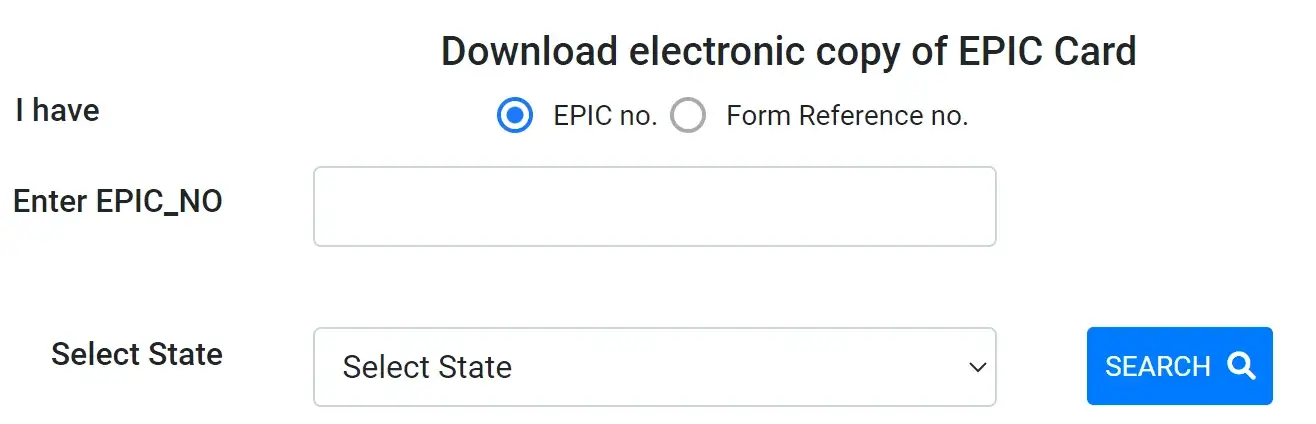
Verify Details: Your voter details will appear. You must validate your mobile number using an OTP for security purposes.
Download: Once verified, click the download icon to save the Dadra and Nagar Haveli Voter ID Card PDF to your computer or mobile device.
FAQ's
How to check name in Dadra and Nagar Haveli voter list?
Visit electoralsearch.eci.gov.in and search by EPIC number, personal details, or registered mobile number. The portal shows your name, part number, and polling station details.
How to download Dadra and Nagar Haveli voter list PDF?
Go to voters.eci.gov.in/download-eroll, select Dadra and Nagar Haveli and Daman and Diu, choose district, assembly constituency, language, roll type, and part number, then enter the CAPTCHA and download the PDF.
What is the official website for Dadra and Nagar Haveli electoral roll?
The official ECI E-Roll download portal is voters.eci.gov.in and the electoral search portal is electoralsearch.eci.gov.in. The UT election department page is dnh.gov.in/election-department.
How to download e-EPIC for Dadra and Nagar Haveli?
Log in to the Voter Portal or the ECI website, enter your EPIC number, verify with OTP, and download the e-EPIC PDF.
Where is the election department office for Dadra and Nagar Haveli?
The election department is at District Secretariat, 3rd floor, Silvassa, Dadra and Nagar Haveli, Pin 396230. Phone number is 0260-2964550.