
 AI Summary
Rajasthan Govt. is providing a large number of e-services to state residents and all of those services now require SSO ID registration / login at sso.rajasthan.gov.in. The state govt. launched the "Single Sign On Identity (SSO ID)" for all citizens to apply online for various Rajasthan government schemes and avail benefits of different e-services.
SSO ID serves as a Unique Digital Identity to avail e-services like Bhamashah ID, Aadhaar ID, Udyog Aadhar Number (UAN), Business Register Number (BRN) etc in Rajasthan.
All the state residents can do online eegistration for Rajasthan SSO ID and create login ID at official website sso.rajasthan.gov.in. Rajasthan Single Sign On (1) - SSO Portal contains the Citizen specific, Udhyog specific and Govt. employee specific services in a single window. This SSO portal facilitates the people to use online identity services.
SSO ID registration is a very simple, quick and efficient process. Moreover, all the data entered by the user on this portal remains secure and it is assured that the personal data of citizens will not be misused.
Rajasthan SSO ID Online Registration 2026
The complete procedure to make SSO registration Rajasthan new account as the "Single Sign On Identity" is as follows:-
STEP 1: Firstly visit the official "Single Sign On Web Portal" at sso.rajasthan.gov.in
STEP 2: The homepage will ask you to enter your "Digital Identity (SSO ID / Username)" and "Password". All the existing users can enter their details and then click the "Login" button as shown in the figure:
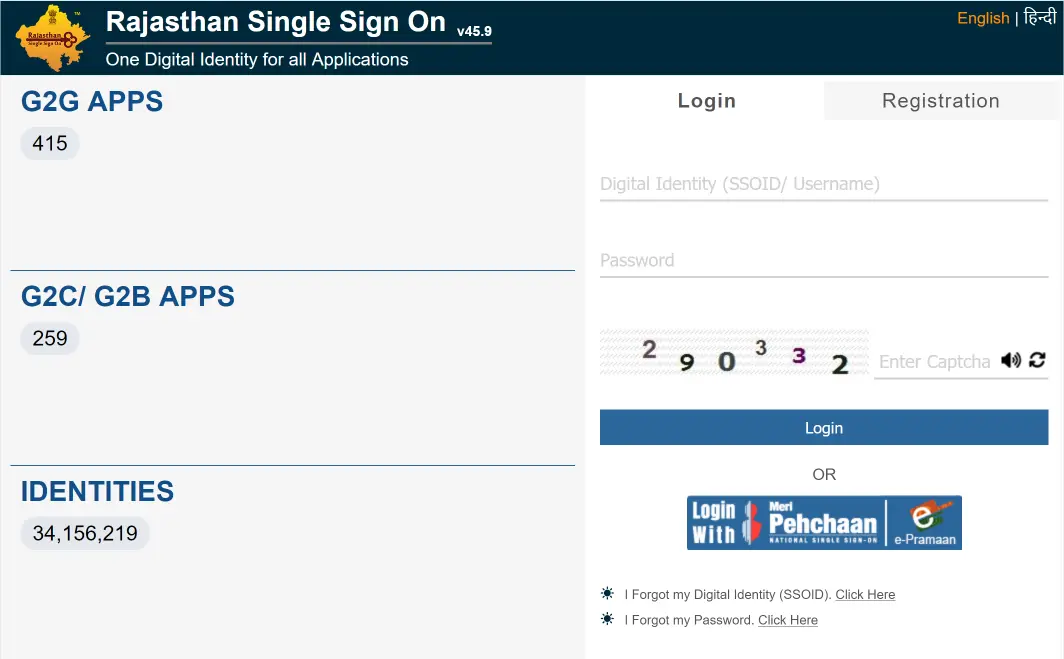
STEP 3: But the new candidates will have to make registration for SSO Identity. For this reason, they will have to click the "Register" button. All the first time users can directly click the link given here to make registration for the Single Sign On Digital Identity - https://sso.rajasthan.gov.in/register
STEP 4: The SSO ID Registration Page will open comprising of 2 sections namely Citizen / Udyog and Govt. Employee. Procedure of registration for each of them is given in the sections below.
SSO ID Registration for Citizens
The "Digital Identity Registration Form for Citizens" will appear as follows:
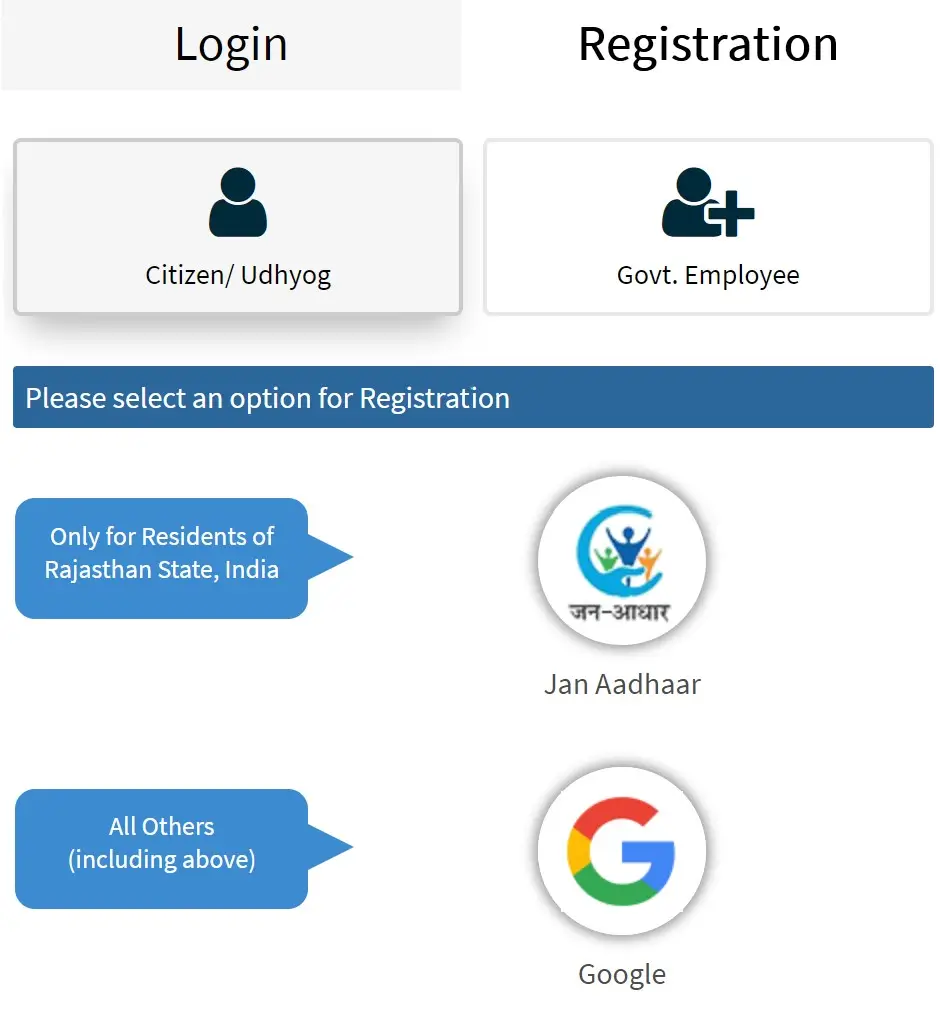
In this page, there are now only two options, you can either register for SSO ID using your Jan Aadhaar Number or using your Google account. Click on one of the options and complete the rest of the process to register yourself.
Earlier, Candidates had the options to use their Bhamashah ID, Aadhaar ID (UID), Facebook, Google and Twitter ID to make Registration for Single Sign On Identity.
SSO ID Registration for Udyog
The "Digital Identity Registration Form for Udhyog" will appear as follows:-
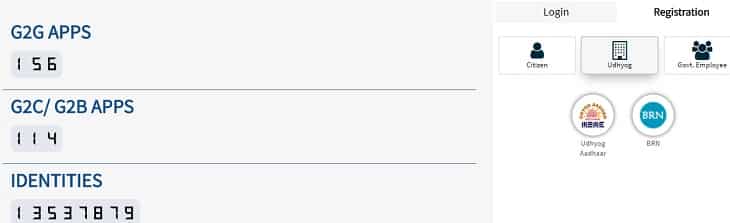
Citizens can enter Udhyog Aadhaar No. (UAN) and Business Register No. (BRN) for Registration. After completing Udyog registration, applicants can make login using the provided Username and Password.
SSO ID Registration for Govt. Employees
The sso.rajasthan.gov.in SIPF or "Digital Identity Registration Form for Govt. Employees (SIPF Users)" will appear as follows:-
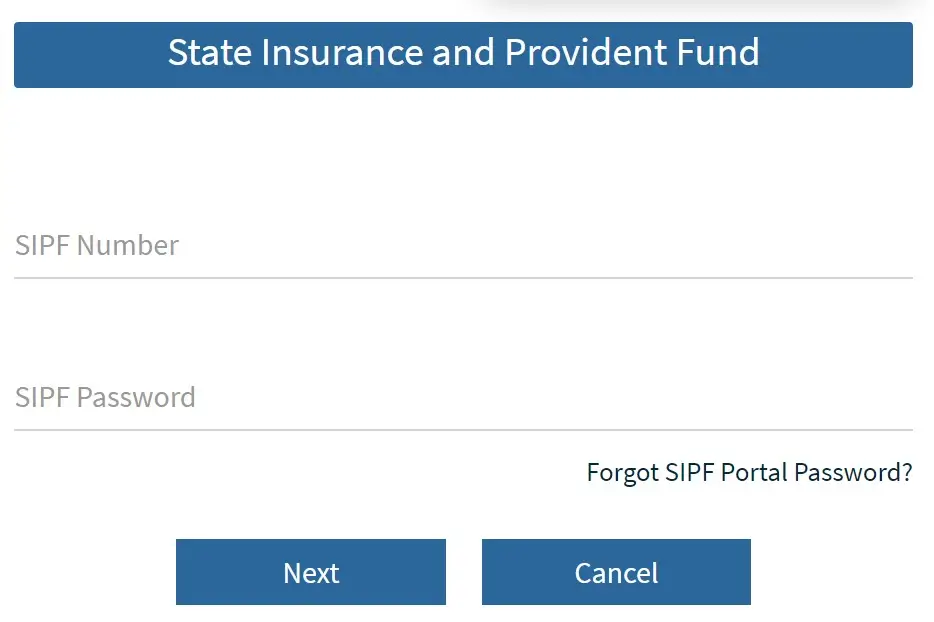
Here SIPF Users can enter their SIPF (State Insurance and Provident Fund) Number to make SSO ID Online Registration Process. After making registration, all the govt. employees can access the SIPF Portal and make SIPF SSO Login.
Following the above mentioned steps, all the citizens can create their SSO Account Online. In case, the citizens forgot their Single Sign On Identity (SSO ID) 'Username' and 'Password', then candidates can directly click the link given here - Forgot Digital Identity (SSO ID / Username)
Apply Online for Rajasthan SSO ID Applications
After making login for SSO ID in Rajasthan, people can update their profile to access various applications and services as shown below:
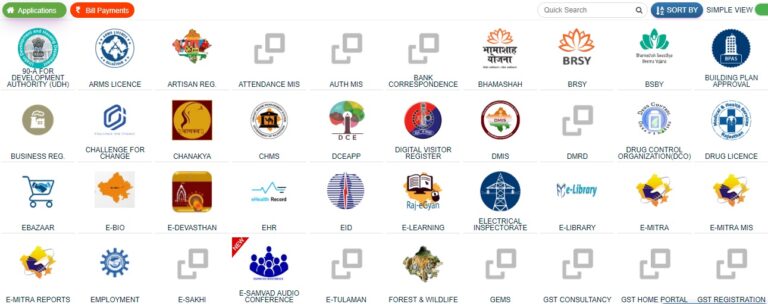
Eligibility Criteria for SSO ID Registration
The candidates must fulfill the following eligibility conditions to apply for the SSO ID (Digital Identity) Registration:-
- Candidate must be a permanent resident (Citizen) of Rajasthan.
- All the Udhyog (Industries / Businesses) of Rajasthan.
- All the State Govt. Employees (SIPF Users)
This Single Digital identity for All Applications is a very useful and innovative concept. It allows all the citizens to access various e-services at a single click.
To recover the SSOID, you can send a SMS to 9223166166 from registered mobile. i.e. type RJ SSO and send it to 9223166166 from your registered mobile.
Rajasthan SSO ID Helpline
If any candidate is finding difficulty in making registration for SSO ID, then such candidates can use SSO Helpline Number and contact the Help Desk to resolve their queries:
Helpline Number: 0141-5153222, 0141-5123717
E-Mail ID: helpdesk.sso@rajasthan.gov.in
District Wise SSO Registration Helpline Numbers and Email ID
| District Name | Phone Number | Email ID |
|---|---|---|
| Ajmer | 0141-2929201 | sso.ajmer@rajasthan.gov.in |
| Alwar | 0141-2929202 | sso.alw@rajasthan.gov.in |
| Balotra | 0141-2929203 | sso.balotra@rajasthan.gov.in |
| Banswara | 0141-2929204 | sso.banswara@rajasthan.gov.in |
| Baran | 0141-2929205 | sso.baran@rajasthan.gov.in |
| Barmer | 0141-2929206 | sso.barmer@rajasthan.gov.in |
| Beawar | 0141-2929207 | sso.beawar@rajasthan.gov.in |
| Bharatpur | 0141-2929208 | sso.bharatp@rajasthan.gov.in |
| Bhilwara | 0141-2929209 | sso.bhilwara@rajasthan.gov.in |
| Bikaner | 0141-2929210 | sso.bikaner@rajasthan.gov.in |
| Bundi | 0141-2929211 | sso.bundi@rajasthan.gov.in |
| Chittorgarh | 0141-2929212 | sso.chittor@rajasthan.gov.in |
| Churu | 0141-2929213 | sso.churu@rajasthan.gov.in |
| Dausa | 0141-2929214 | sso.dausa@rajasthan.gov.in |
| Deeg | 0141-2929216 | sso.deeg@rajasthan.gov.in |
| Dholpur | 0141-2929217 | sso.dholpur@rajasthan.gov.in |
| Didwana-Kuchaman | 0141-2929215 | sso.dk@rajasthan.gov.in |
| Dungarpur | 0141-2929218 | sso.dungarp@rajasthan.gov.in |
| Hanumangarh | 0141-2929219 | sso.hanumang@rajasthan.gov.in |
| Jaipur | 0141-2928239 | sso.jaipur@rajasthan.gov.in |
| Jaisalmer | 0141-2929220 | sso.jaisalm@rajasthan.gov.in |
| Jalore | 02973-64027 | sso.jalore@rajasthan.gov.in |
| Jhalawar | 0141-2929222 | sso.jhalawar@rajasthan.gov.in |
| Jhunjhunu | 0141-2929223 | sso.jhunjhun@rajasthan.gov.in |
| Jodhpur | 0141-2929224 | sso.jodhpur@rajasthan.gov.in |
| Karauli | 0141-2929225 | sso.karauli@rajasthan.gov.in |
| Khairthal-Tijara | 0141-2929226 | sso.khairthal@rajasthan.gov.in |
| Kota | 0141-2929227 | sso.kota@rajasthan.gov.in |
| Kotputli-Behror | 0141-2929228 | sso.kotputli.b@rajasthan.gov.in |
| Nagaur | 0141-2929229 | sso.nagaur@rajasthan.gov.in |
| Pali | 0141-2929230 | sso.pali@rajasthan.gov.in |
| Phalodi | 0141-2929231 | sso.phalodi@rajasthan.gov.in |
| Pratapgarh | 0141-2929232 | sso.pratapg@rajasthan.gov.in |
| Rajsamand | 0141-2929233 | sso.rajsaman@rajasthan.gov.in |
| Salumbar | 0141-2929234 | sso.salumbar@rajasthan.gov.in |
| Sawai Madhopur | 0141-2929238 | sso.sawaim@rajasthan.gov.in |
| Sikar | 0141-2929235 | sso.sikar@rajasthan.gov.in |
| Sirohi | 0141-2929236 | sso.sirohi@rajasthan.gov.in |
| Sri Ganganagar | 0141-2929237 | sso.gangan@rajasthan.gov.in |
| Tonk | 0141-2929239 | sso.tonk@rajasthan.gov.in |
| Udaipur | 0141-2929240 | sso.udaipur@rajasthan.gov.in |
Sir meri ssoid username invelid bata raha you hai aur password bhi incorrect bata raha hai please call me 8810501957
sar. new acount. page nhi khul ra
Sso id
Sir ji
village kheda
प्रताप गढ
पतापगढ
Sunil kumar
ssc ki saide nahi chal rihi hii
kese banae
sso id banti nhi he kaya karu
Best programe
Rasha Swami Colony fazilka punjab mobile no 7973722183
ram ram sa
e sakhi pr registation kese kre
Rkgurjar9928gemail.@com
Now are you
Hi friends you want SSO I'd make call me 8239955536.
Baisa
Vill. Achalpura post narayna th.masalpur dist.karauli rajasthan
Good
Sso new id
msg
Berojgari bhatta nahin aane ke kram mein abhi kar raha hun sar
SSO id
MANJAY.KUMAR.MEENA
Bharat lal meena