
 AI Summary
Income Tax Department has started the online process to generate Instant e-PAN at incometaxindiaefiling.gov.in. Eligible people can apply online for Instant e-PAN using Aadhaar Card absolutely free in just a few minutes. It is a simple and paperless process and needs only the 12 digit Aadhaar number along with the mobile number linked to it. Aadhaar number works as identity (ID), address and date of birth (D.O.B) proof. This article explains how to get your PAN card ready instantly, check e-PAN status, verify your PAN and download it.
Instant e-PAN is a free, pre-login service on the e-Filing portal that lets an individual taxpayer who has not yet been allotted a PAN obtain a digitally signed PAN in electronic form. It uses Aadhaar and the mobile number linked to it. The applicant also needs access to DigiLocker, since the date of birth proof is fetched from there during the process. The PAN pdf is generated and issued to the applicant in a hassle free manner. Instant e-PAN holds the same value as a physical PAN card.
This facility is not applicable to undivided Hindu families, companies, trusts and firms. It is meant only for resident individuals who do not already hold a PAN. The full scale version of Instant e-PAN was launched by Finance Minister Nirmala Sitharaman after the earlier beta version received a positive response. The service continues to run on the official Income Tax e-Filing portal.
Apply Online for Instant e-PAN Card using Aadhaar Number
This is a paperless process and no physical documents are required to be sent by the PAN applicant. All the details in the e-PAN application form must match exactly with the Aadhaar card details as Aadhaar is the main proof in this process. Below is the complete procedure to fill the online application form for Instant e-PAN:-
STEP 1 - First of all, visit the official website https://www.incometax.gov.in/iec/foportal/
STEP 2 - At the homepage, click on the "Instant e-PAN" link under the 'Quick Links' section or directly click this link to open the page as shown below:-
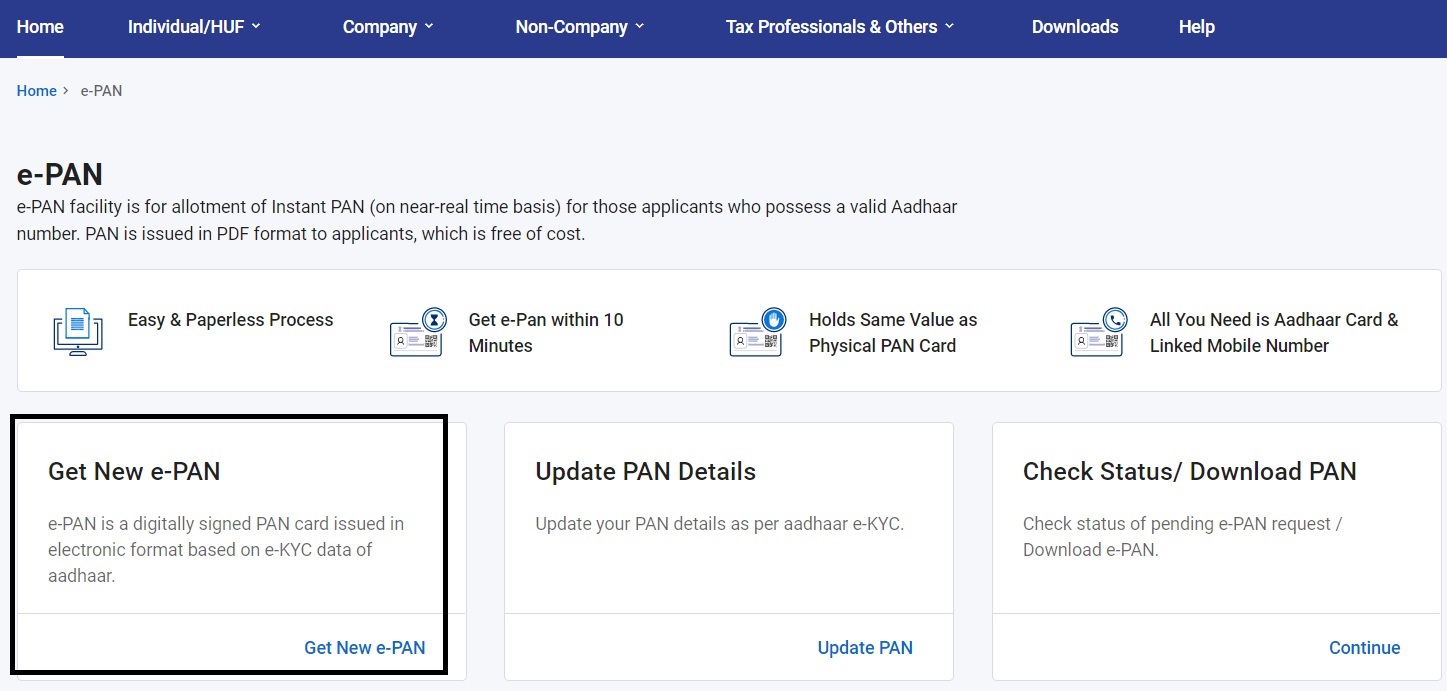
STEP 3 - The Instant e-PAN page having links to get new e-PAN, update PAN details, check status and download PAN will open. Select the "Get New e-PAN" option. This facility is for allotment of Instant PAN (on near-real time basis) for applicants who possess a valid Aadhaar number. PAN is issued in PDF format to applicants, which is free.
STEP 4 - Then the Instant e-PAN card apply online page will appear as shown below:-

STEP 5 - Here the applicant can enter the Aadhaar number, tick the declaration and continue to apply online for Instant e-PAN card allotment. During the process, the applicant is redirected to DigiLocker to fetch the date of birth proof. A 6 digit OTP is sent to the Aadhaar linked mobile number for verification.
Once Aadhaar e-KYC is done, the process to apply for e-PAN starts. After successful filing of the e-PAN application form, an acknowledgement number is generated and sent to the mobile number / email id registered in the application form. PAN allotment based on Aadhaar is free. The PAN pdf is then generated and issued to the applicant.
| Detail | Information |
|---|---|
| Scheme Name | Instant e-PAN |
| Launched By | Income Tax Department, Government of India |
| Beneficiaries | Resident individuals without a PAN |
| Benefit | Free digitally signed PAN in pdf format |
| Application Mode | Online at incometax.gov.in |
| Official Website | incometax.gov.in |
Pre-Conditions / Eligibility Criteria to Get New e-PAN Card
Before applying, make sure you meet the conditions given below. These points decide whether you can use the Instant e-PAN service or not.
- You must have never been allotted a Permanent Account Number (PAN). Applicants who already possess a PAN number should not apply for Instant e-PAN card.
- Your active mobile number is linked with Aadhaar. Aadhaar OTP is required in this process for verification, and other documents are not required.
- Your complete date of birth (DD-MM-YYYY) is available on the Aadhaar card. Aadhaar card details like name, gender, address, mobile number and date of birth must be correct and updated, as e-KYC is done through the Aadhaar database.
- You are not a minor as on the application date of the Permanent Account Number (PAN).
- You have access to a DigiLocker account, as the date of birth proof is fetched from DigiLocker during the process. If you do not have one, you can create it during the e-PAN flow itself.
- e-PAN facility is only for resident individuals. It is not applicable for HUF, firms, trusts, companies and minors.
Track PAN / TAN Application Status
Below is the complete process by which you can track your PAN / TAN application status:-
STEP 1 - Visit the official link - https://tin.tin.proteantech.in/pantan/StatusTrack.html
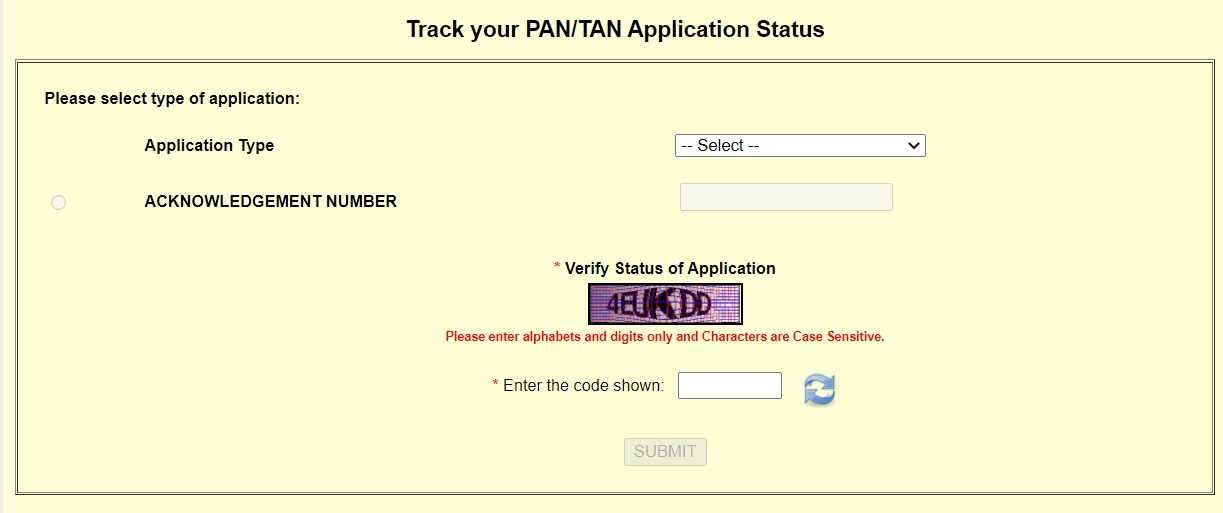
STEP 2 - Select the Application Type as "PAN - New / Change Request" and enter the acknowledgement number and click on the "Submit" button. Then the page showing your PAN card application status will be displayed.
This facility is available for PAN holders whose latest application was processed through Protean eGov (earlier NSDL). For PAN applications submitted to Protean where PAN is allotted or changes are confirmed by the Income Tax Department within the last 30 days, the instant e-PAN card can be downloaded free three times. If the PAN is allotted or changes in PAN data are confirmed prior to 30 days, then charges apply for downloading the e-PAN card.
You can also track your PAN card status if you have applied through UTIITSL - https://www.trackpan.utiitsl.com/PANONLINE/
Download e-PAN Card
People can download the e-PAN card through the received acknowledgement number or with the help of PAN and Aadhaar number using the link - https://onlineservices.proteantech.in/paam/requestAndDownloadEPAN.html. The page to download the e-PAN card with the acknowledgement number or PAN and Aadhaar will open:-
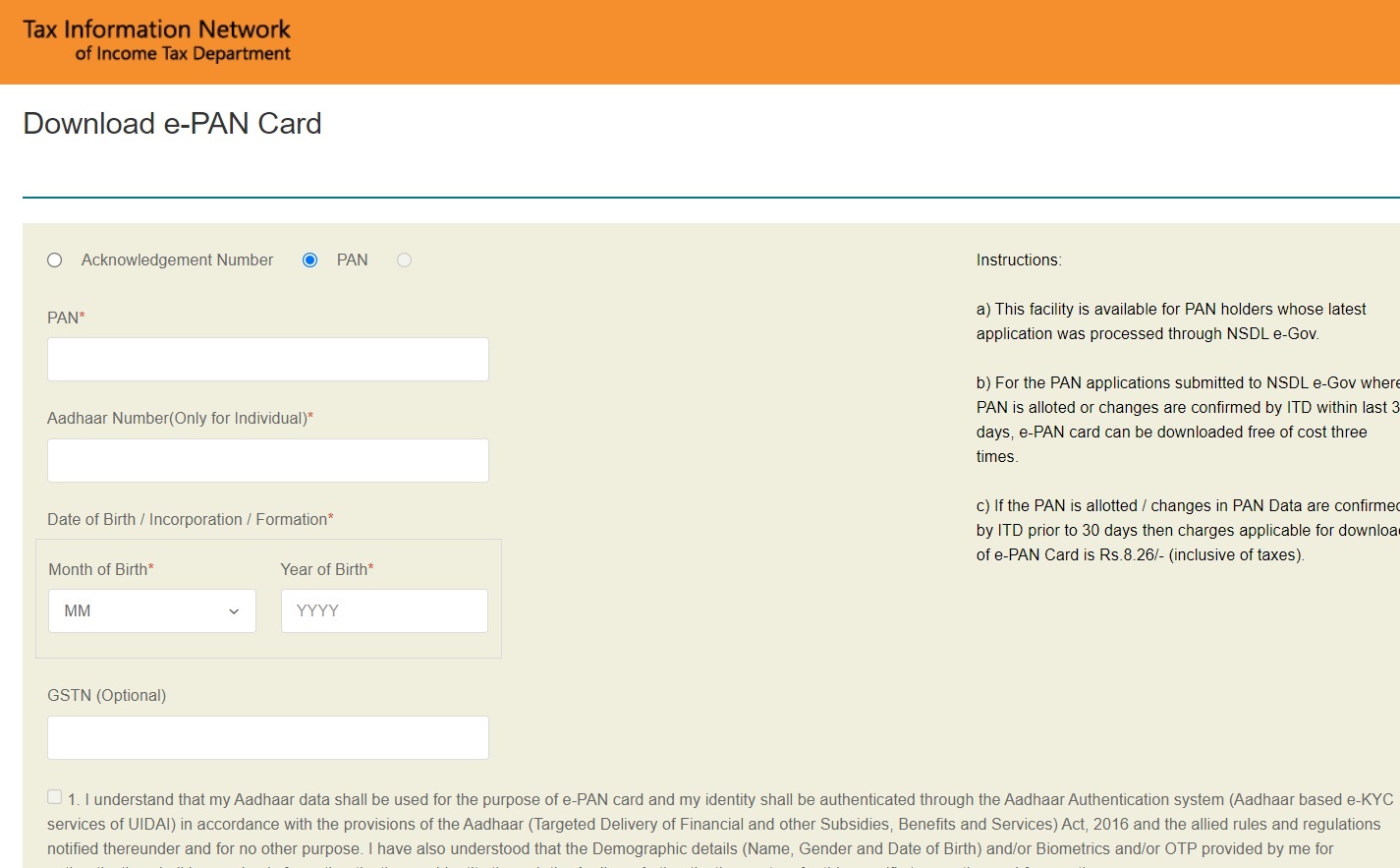
Here people can enter the PAN card number, Aadhaar card number, date of birth and click on the "Submit" button. You can also download e-PAN with the acknowledgement number. The new page containing your information will be displayed then. You can generate OTP, validate it and get the Instant e-PAN card downloaded.
If you have already registered on the e-Filing portal, you can also download the e-PAN after login. Go to Dashboard, then Services and click on "View / Download e-PAN". Enter the Aadhaar number, validate the OTP and download a copy of the e-PAN.
Verify your PAN Card Number
STEP 1 - Go to the official website at https://www.incometax.gov.in/iec/foportal
STEP 2 - Click on the "Verify your PAN" option under the "Quick Links" section.
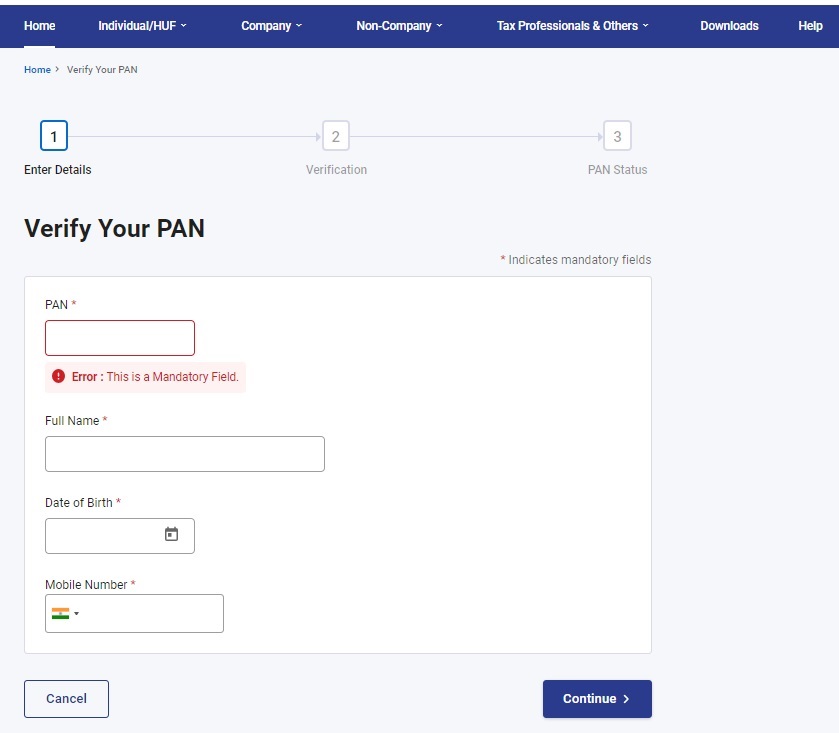
STEP 3 - Enter the PAN card number, full name, date of birth, mobile number, and click "Continue".
STEP 4 - Validate the OTP and the PAN verification details will open.
Instant e-PAN Card Benefits
Earlier, getting a PAN card required filling an offline form and submitting documents, which took up to 15 days. Now people who want it within 10 minutes can apply for the Instant e-PAN card. For this, applicants are required to enter basic details such as name, address and Aadhaar details. Applicants can verify their details using a one time password (OTP) on their registered mobile phone number and get the instant e-PAN within ten minutes.
Usage of Aadhaar in Getting Instant e-PAN Card
Aadhaar already has details like address, father's name and date of birth, so there is no need to upload any further physical document for getting the PAN card. Applicants need to make sure their Aadhaar details are correct, as the application may get rejected in case of data mismatch.
On successful verification of Aadhaar details using the OTP, the applicant is issued a digitally signed e-PAN along with a QR code. This QR code carries demographic data along with the photo of the applicant. As a security measure, the information in the QR code is encrypted to prevent forgery or digital photoshopping.
Instant e-PAN card scheme is part of the wider digitization of income tax services. This facility enables people to get a PAN card through online mode without making unnecessary visits to the office.
References
For more details, visit the official website at https://www.incometax.gov.in/iec/foportal
Sir main Hazaribagh ka rahne wala hun, mujhe pmay urban ka margdarsak chahiye,mere pass Na zamin hai Na khud ka Makaan hai, so pls help me.
Bank account is must importance
Baat karna hai
Thanking to honrable prime minister for implementation of PMMVY scheme.the package of 6000/rs is a great gift for the poor woman of the country.i say it is better that the benefit gets the bpl belonging women for two live births.
Thank you.
Do you believe that it is possible to eradicate unemployment problem -------if any one wants to know the details can contact with me ----But everyone should know that it is possible within 4 yrs.
Village.rupanwali. dist fatehabad 125106
new pan sarvish
ajay thakur pradhan manthry yojna
At.limdabra,post.khagela
Good job
IT SERVISES IS VERY IMPORTED.
Bansh bhadur
Link not avilable
Ok
arjunk71718@gmail.com
thank you for the information, very nicely written. please see this also https://indiadigit24.com/pan-card-kya-hai-in-hindi/
Driving