

 AI Summary
Punjab Govt. Revenue Department runs the National Generic Document Registration System (NGDRS) portal for online property registration, stamp duty and registry services. The portal has been upgraded to Easy Registry (NGDRS 3.0) and is now available at easyregistry.punjab.gov.in. Citizens can fill the registration form, make login, book appointments and complete land and property registration online without repeated visits to the sub registrar office.
NGDRS is a cloud based system made by the Department of Land Resources, Ministry of Rural Development, Government of India. Punjab has implemented online registration through NGDRS in all sub registrar offices of 22 districts. The portal supports the Digital India campaign and helps citizens with document entry, online payment, e-sign and appointment booking for property registration.
Online Land / Property Registration at Easy Registry Portal
People of Punjab can now register revenue related documents online through the Easy Registry portal. Earlier people had to make repeated visits to government offices and patwari offices for stamp duty and registry work. Now the complete process of property valuation, document entry, stamp duty payment and registration appointment can be done online. The portal also sends SMS and email alerts at every stage.
Citizens need to first create their login on the portal and then fill the document details. The portal calculates stamp duty, registration fee and other charges together and shows the total amount payable before final submission. After payment, an appointment can be booked at the sub registrar office for final execution and biometric verification.
| Detail | Information |
|---|---|
| Scheme Name | National Generic Document Registration System (NGDRS) |
| State | Punjab |
| Department | Department of Revenue, Government of Punjab |
| Portal Name | Easy Registry (NGDRS 3.0) |
| Official Website | easyregistry.punjab.gov.in |
| Services | Property registration, stamp duty, land registry, appointment, dashboard |
| Helpline | 1076 (doorstep service for sale deed) |
Citizen Registration and Login at Easy Registry Portal
Below is the complete procedure to register and login as a citizen on the Easy Registry portal of Punjab:-
STEP 1 - Visit the official website https://easyregistry.punjab.gov.in/

STEP 2 - On the homepage, click on the "Citizen Registration" option under the Citizen section.
STEP 3 - The online citizen registration form for property, land, stamp duty and registry will open as follows:-

STEP 4 - Enter the citizen type, contact person name, ID details, address details, username and password, then click on the "Submit" button.
STEP 5 - After registration, citizens can make login to open the page as follows:-
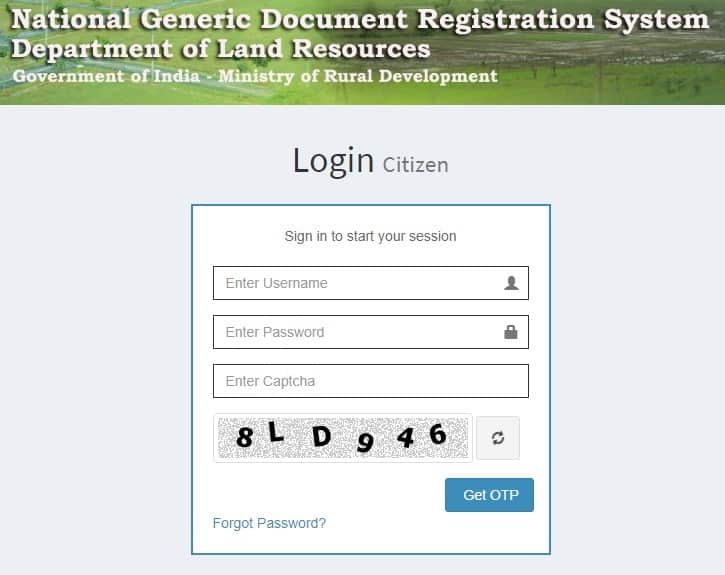
STEP 6 - Enter the username, password and OTP, then click on "Sign In" to start the session. Organizations can also make user login on the same portal.
View Appointment at Easy Registry Portal
Below is the complete procedure to view the appointment at the Easy Registry portal of Punjab:-
STEP 1 - Visit the official website https://easyregistry.punjab.gov.in/
STEP 2 - On the homepage, click on the "View Appointment" tab.
STEP 3 - The login page for checking the appointment will open as follows:-

STEP 4 - After logging in, the appointment details at the portal can be viewed.
View Dashboard at Easy Registry Portal
Below is the complete procedure to view the dashboard at the Easy Registry portal of Punjab:-
STEP 1 - Visit the official website https://easyregistry.punjab.gov.in/
STEP 2 - On the homepage, click on the "View Dashboard" tab.
STEP 3 - The dashboard login page for citizens will open as follows:-
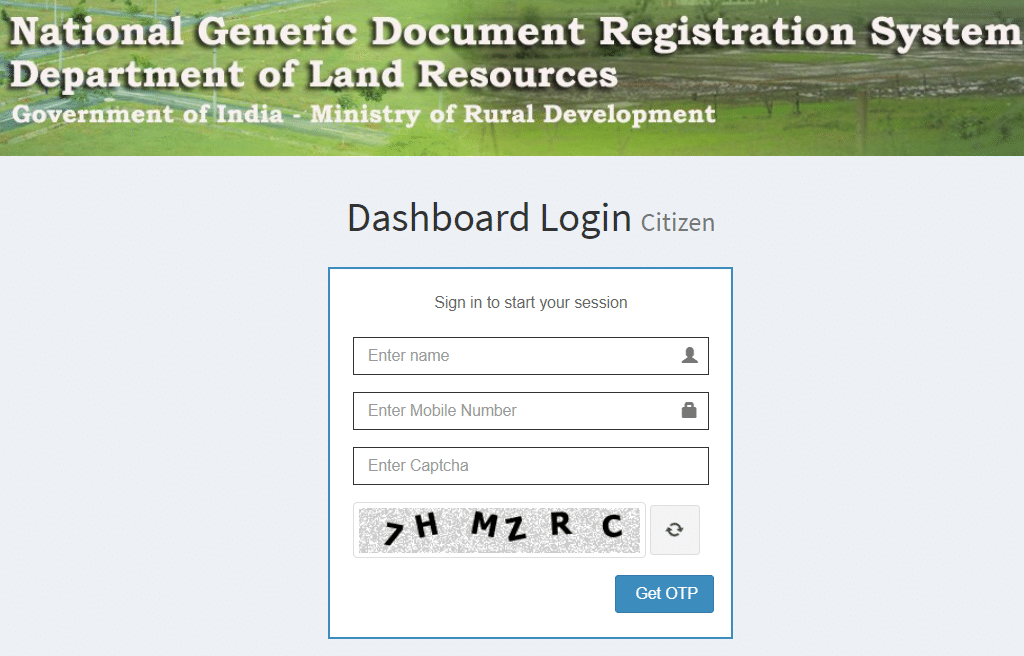
STEP 4 - Enter the name, mobile number and captcha, then click on "Get OTP" to make the dashboard login.
Salient Features of NGDRS Portal
The Easy Registry portal provides many services to citizens, the registration department and other people involved in property registration:-
- Property valuation and registration services are provided online to citizens.
- SMS and email alerts are sent at every stage of the registration process.
- Search of legacy data is available on the portal.
- Dashboard is provided for all people involved in the process.
- E-sign and biometric authentication are part of the registration process.
- Pre-appointments and document uploads make the process time bound.
- Integration with e-payments, land records and e-stamping databases is available.
- Single sign-on, cloud enabled system and Aadhaar authentication (subject to conditions) are supported.
Facilities for Citizen at Easy Registry Portal
The website allows citizens to use the following facilities at the Easy Registry portal:-
- Register online for username and password.
- Enter document details for registration.
- Upload documents and make online payments.
- Book online appointments to visit the sub registrar office for document registration.
About NGDRS Software
NGDRS is a generic software developed for valuation, registration and allied processes involved in buying and selling of properties. It is a "One Nation One Software" system that helps citizens with property valuation on a click and brings all registration departments on a single platform. The software is fully configurable for state specific practices and supports multilingual workflow.
NGDRS Rolled Out States
NGDRS has been rolled out in many states and union territories of India. Punjab started using the system on 26th June 2017. Other states include:-
- Andaman and Nicobar Islands - 29th June 2018
- Chhattisgarh - 15th December 2020
- Dadra and Nagar Haveli - 4th January 2020
- Goa - 4th February 2019
- Himachal Pradesh - 12th September 2019
- Jammu and Kashmir - 15th June 2020
- Jharkhand - 24th October 2018
- Maharashtra (CIDCO, e-Registration, e-Filing 2.0) - 10th February 2020
- Manipur - 13th July 2018
- Mizoram - 6th September 2019
NGDRS Client, Feedback and Help Links
NGDRS Client - https://easyregistry.punjab.gov.in/Users/ngdrsclient
Citizen Registration - https://easyregistry.punjab.gov.in/Users/citizenregistration
Citizen Login - https://easyregistry.punjab.gov.in/Citizenentry/citizenlogin
Track Grievance - https://easyregistry.punjab.gov.in/Grievance/grievance_track
FAQs for National Generic Document Registration System - https://easyregistry.punjab.gov.in/Users/faq
Department of Revenue, Government of Punjab - https://revenue.punjab.gov.in/
FAQ's
How is stamp duty calculated on the Easy Registry portal?
The portal calculates stamp duty, registration fee and other charges together and displays the total amount payable before final submission. The exact amount depends on the property value and the applicable rates in Punjab.
Can the whole registration process be completed from home?
Yes. Citizens can call 1076 to schedule a doorstep visit for sale deed drafting, submit the draft online for pre-scrutiny, pay the fees through the portal once approved and then visit any sub registrar office for final execution and biometric verification.
What happens if an objection is raised during online scrutiny?
The objection is received through the portal and the applicant is allowed to submit a reply and make necessary corrections. The matter is monitored by the Deputy Commissioner and SDM to make sure the process is fair.
Job me please
hello
i like this online system.
fees calculation is complex
Citizen Registration page is displayed as a non-secure page
Is that a govt approved webpage ?
Is it safe ?
Yes, Punjab NGDRS page is a government website's page. This page just doesn't follows some of the new policies / updates of Google. It is absolutely safe to use this portal for Property, Stamp Duty, and Land Online Registration.
** Share your comments & discuss with other community members on Sarkari Yojana Forums forums.sarkariyojana.com
any contact for getting registry done in zirakpur
Can we delete last days appointment from our NGDRS Login Id????
i am uploading document but error show as file format is not support. i have used format as PDF, JPG, PNG