

 AI Summary
Rajasthan government's Board of Revenue runs the Apna Khata portal at apnakhata.rajasthan.gov.in, where land owners can check and download their land records online. All citizens can get the Jamabandi Nakal (copy of Records of Rights) by selecting their district, tehsil and village on the portal and entering their Khata or Khasra number. Note that the old address apnakhata.raj.nic.in is no longer working, so use apnakhata.rajasthan.gov.in for all Apna Khata related work now.
Apna Khata cuts down the need to visit a Patwari again and again for land records, since Bhu-Abhilekh can now be checked from a phone or computer. This portal is part of the e-Dharti (DILRMP) program run by the Board of Revenue and covers Jamabandi copies, mutation (Naamantaran) applications, boundary knowledge (Seemagyan) requests and partition (Vibhajan) applications. Below is the updated, step-by-step way to find Jamabandi Nakal or Khasra/Khatauni Naksha for your land in 2026.
Rajasthan Apna Khata 2026
Apna Khata was built to cut corruption and put land records online for everyone to see. It saves time since getting Bhu-Abhilekh is now a few clicks instead of a trip to the tehsil office. People can enter their details and get an RSN Number for a duplicate copy. The portal also lists Revenue Officer contacts and authorised E-Mitra kiosks near you. Here is the full process to find Jamabandi Nakal or Khasra/Khatauni Naksha for your land.
Download Rajasthan Jamabandi Nakal Online
Below is the updated process to find a copy of Bhulekh using Khata Number or Khasra/Khatauni. The screens look a little different from older screenshots since the portal moved to a new address, but the steps work the same way.
STEP 1: Visit the official website https://apnakhata.rajasthan.gov.in/ and click on "जमाबंदी नकल" on the home page, or go directly to apnakhata.rajasthan.gov.in/Ownerwise/VillSelAll3.aspx
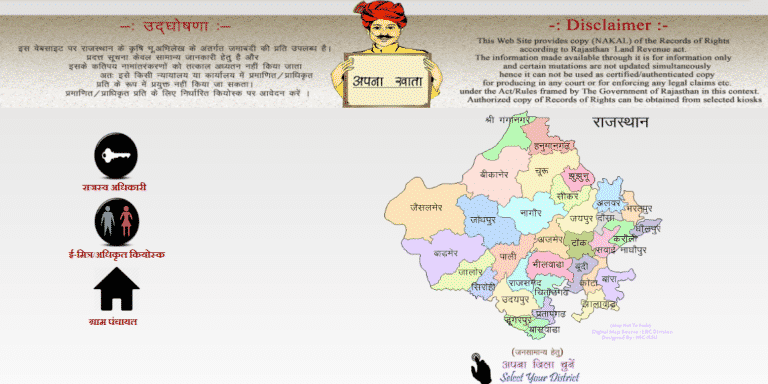
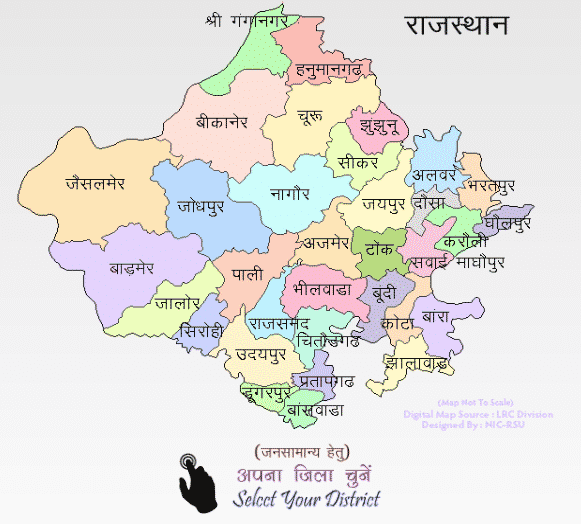
STEP 2: Select your District Name by clicking on that district.
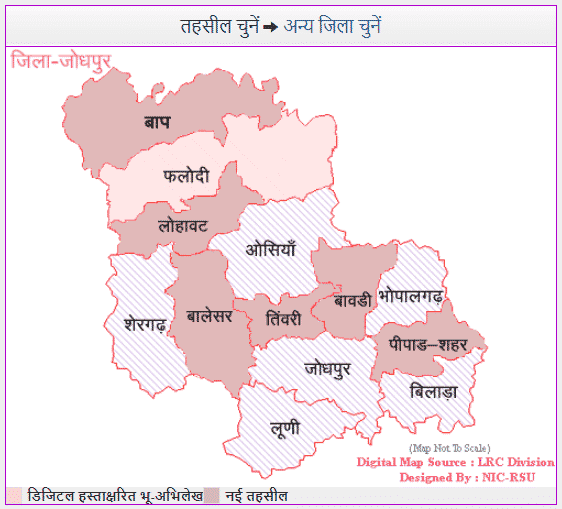
STEP 3: A new window opens asking you to select the Tehsil.
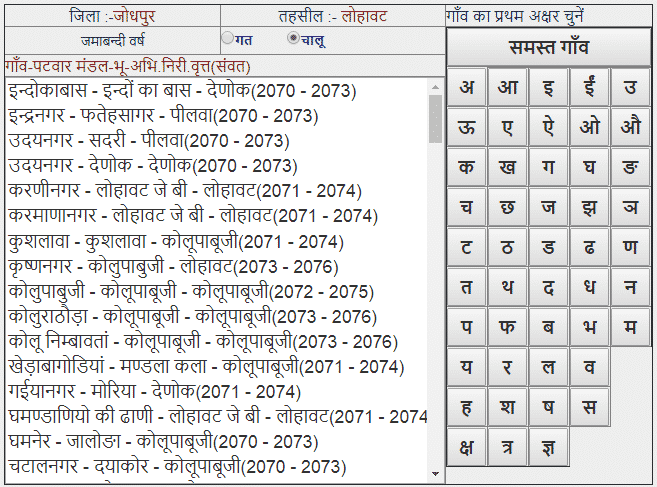
STEP 4: Select your Village to move ahead to the Jamabandi Nakal screen.
STEP 5: Enter your Khata Number, Khasra Number, Name or other account details to view and download the Nakal.
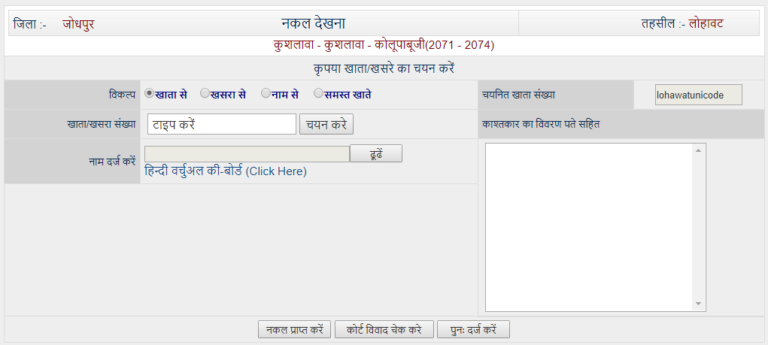
STEP 6: Click on "नकल प्राप्त करे" at the bottom to get the Rajasthan Apna Khata Nakal Jamabandi. A sample of the Jamabandi Nakal appears as below.
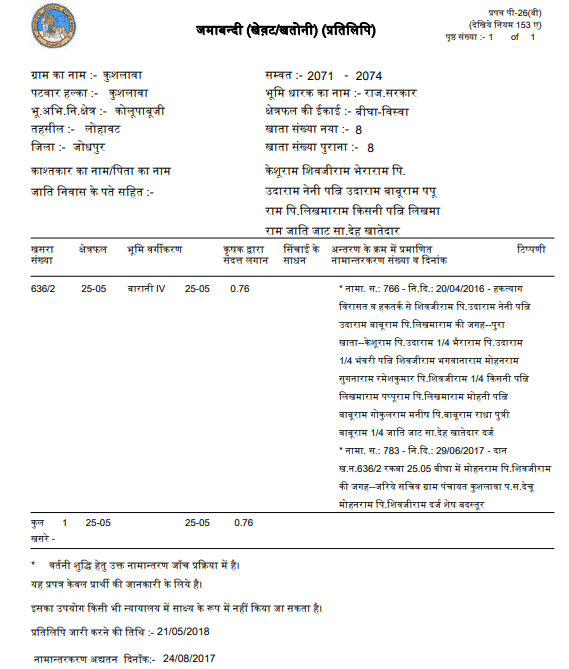
STEP 7: Download this file and save it on your device so you can print the Apna Khata Nakal of your land records whenever required.
As per the notice on the official portal, land record copies shown here are for general information. They carry certain updates with a delay and cannot be used as a certified copy in a court or office. For a certified copy, apply at an authorised kiosk.
About e-Dharti DILRMP
e-Dharti is the Digital India Land Records Modernisation Programme (DILRMP), run by the Department of Land Resources along with the Rajasthan Board of Revenue. It merges older central schemes for computerising land records and updating survey and settlement records into one program, with the aim of a modern, clear land record system backed by title guarantee. e-Dharti now has its own portal at edharti.rajasthan.gov.in for related services, separate from Apna Khata.
Fees for Apna Khata Jamabandi Nakal
As per the current announcement on apnakhata.rajasthan.gov.in, Jamabandi copies for general viewing on the portal are available free of cost. A fee applies only when you need a certified/authorised copy through an E-Mitra kiosk, since that copy can be used for official or bank purposes.
नामांतरण के लिये ऑनलाइन आवेदन (Rajasthan Land Mutation Apply Online)
Here is the direct link to apply online for land mutation in Rajasthan - https://apnakhata.rajasthan.gov.in/publicApplication.aspx. The Rajasthan Land Mutation online application form 2026 (नामांतरण के लिये ऑनलाइन आवेदन) opens on this page, where applicants fill in Khata details and upload required documents.

Check Rajasthan Land Mutation Status
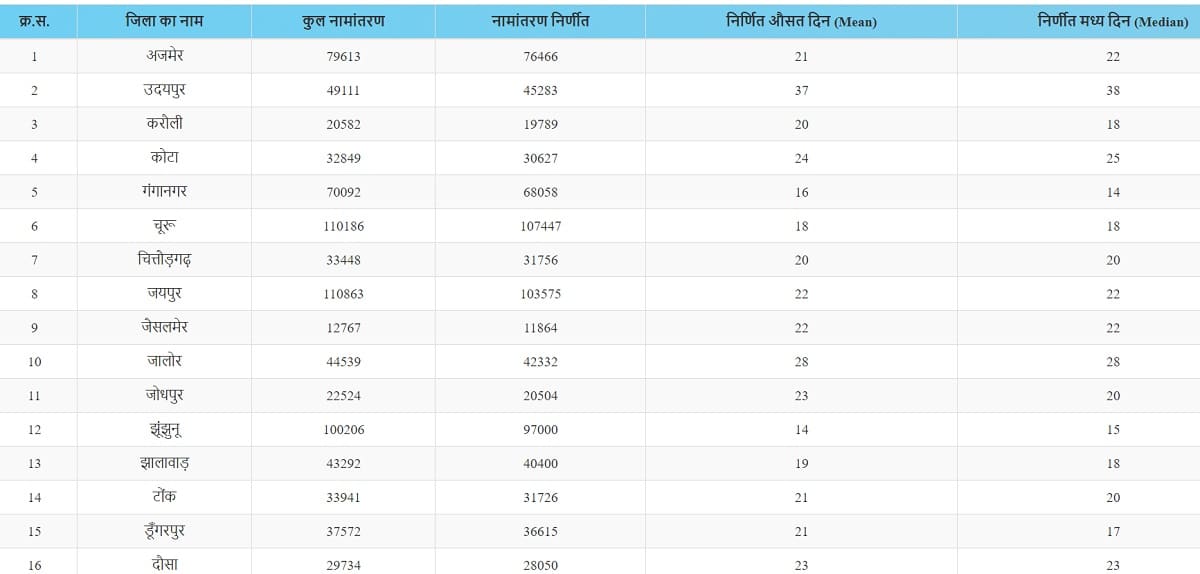
Here is the direct link to check the current status of a mutation application - https://apnakhata.rajasthan.gov.in/TrackMutationAvantan.aspx
The page to check जिले के अनुसार नामांतरण की स्थिति appears as shown below.
Other Services Linked to Apna Khata Portal
Along with Jamabandi Nakal and mutation, the Board of Revenue now runs a few related services on separate sites, all reachable from the Apna Khata home page. Some of the main ones are listed below.
- Bhu Naksha - Land map service, now hosted at bhunaksha.rajasthan.gov.in instead of within Apna Khata.
- Girdawari - Crop survey details are available at webgirdawari.rajasthan.gov.in, and farmers can also use the Girdawari app on Google Play to record their own crop survey.
- Seemagyan (सीमाज्ञान) - Application for boundary marking of a plot, filed directly from the Apna Khata portal.
- Vibhajan (सहमति विभाजन) - Application for consent-based partition of joint land holdings.
Apna Khata - Terms Used in Land Records
Following terms are helpful in reading a Jamabandi Nakal of land records.
- Nakal - Duplicate or copy of the original land record.
- Jamabandi - Land record or Record of Rights (ROR) of a village. It includes the name of the land owner, area, share of owners and other rights, along with cultivation, rent, revenue and other cess payable on the land. This term is common in Punjab, Haryana, Rajasthan and Himachal Pradesh.
- Khasra - An agriculture-related legal document for a village that has details of a piece of agricultural land and crops grown on it, along with owner, labourers, soil type and plantation details.
- Khatauni - A list of plots or land owned by the head of a family, built by grouping Khasras of that family.
- Bhulekh / Bhu-Abhilekh - Online land record software for maintaining land records.
- Bhu Naksha - Map that shows all information about a piece of land.
For more details, visit the official website https://apnakhata.rajasthan.gov.in/
| Detail | Information |
|---|---|
| Portal Name | Apna Khata (e-Dharti) |
| Run By | Board of Revenue, Rajasthan |
| Beneficiaries | Land owners and farmers of Rajasthan |
| Main Service | Jamabandi Nakal, Khasra-Khatauni, mutation application and status |
| Jamabandi Copy Fee | Free for general viewing on portal |
| Application Mode | Online |
| Official Website | apnakhata.rajasthan.gov.in |
FAQ's
Is apnakhata.raj.nic.in still working?
No, that address is no longer active. Use apnakhata.rajasthan.gov.in for Jamabandi Nakal, mutation applications and related services.
Is there any fee for downloading Jamabandi Nakal online?
Viewing and downloading a copy on the portal for general information is free. A fee applies only when a certified copy is needed through an authorised E-Mitra kiosk.
Where can Bhu Naksha be checked now?
Bhu Naksha (land map) is available on a separate site, bhunaksha.rajasthan.gov.in, linked from the Apna Khata home page.
Can the downloaded Nakal be used as a legal document?
No. As per the official notice, this copy is for general information only and is not valid as a certified copy in a court or office. For that, apply at an authorised kiosk.
How to check status of a mutation (Naamantaran) application?
Visit apnakhata.rajasthan.gov.in/TrackMutationAvantan.aspx and select district, tehsil and application details to see current status.
malav tappal khair aligarh
She is big layer juthiiiiii koe kissano ka loan maaf nahi huwa bevkuf banaya
Bera bandiya Birol teh Jaitaran
ramlalbhogra@gmail.com
apnakhata didnt show my village name its not working proprely and also web site didnt have issue solve facility