

 AI Summary
DigiLocker is a flagship digital service of the Ministry of Electronics and Information Technology (MeitY) under the Digital India programme. Central government launched the DigiLocker portal registration and login process at digilocker.gov.in and the Digital Locker application in July 2015. The main aim of this application is to store online documents and keep all the documents safe.
The primary aim of this DigiLocker scheme is to remove all the mess of using physical documents. Users can share verified electronic documents across the various departments. There is no need to carry files physically from one place to another. DigiLocker gives a separate account to each user to keep all the related documents in the locker. As of 2026, the scheme has crossed 70 crore registered users and issued over 900 crore documents.
DigiLocker application can be downloaded on an android phone from Google Play Store and can also be accessed directly on the website through desktop and laptop. The application user can store all the important files in the form of e-document. DigiLocker is a free service and gives 1 GB of free space to store documents and links of government documents.
DigiLocker Registration / Login at digilocker.gov.in
The benefit of this DigiLocker portal is to provide access to all documents anywhere and anytime. There is no more need to physically keep all the related files in a bag or any other place in the house or office. It will be an easy process for the user to receive or send any document. Moreover, this will save their time and efforts. Users can use this application for:
- E-Sign documents - Sign documents digitally without any extra device.
- Sharing documents digitally for verification - Share verified documents with departments and institutions.
- Accessing documents anytime, anywhere - Fetch and view documents from any device at any time.
DigiLocker - How it Works
DigiLocker works in a simple four step flow. Once a user registers and verifies the account, the government documents get linked to the account automatically. The steps are:
- Register Yourself - Create a DigiLocker account using mobile number or Aadhaar.
- Verify Yourself - Complete OTP verification to confirm the account.
- Fetch Your Documents - Pull issued documents from the linked departments.
- Validate your Documents - Share and verify documents digitally wherever needed.
DigiLocker Registration / Login Process
STEP 1 - Firstly visit the official website at https://www.digilocker.gov.in/dashboard
STEP 2 - At the homepage, click at the "Sign Up" link present in the main menu as shown below:-
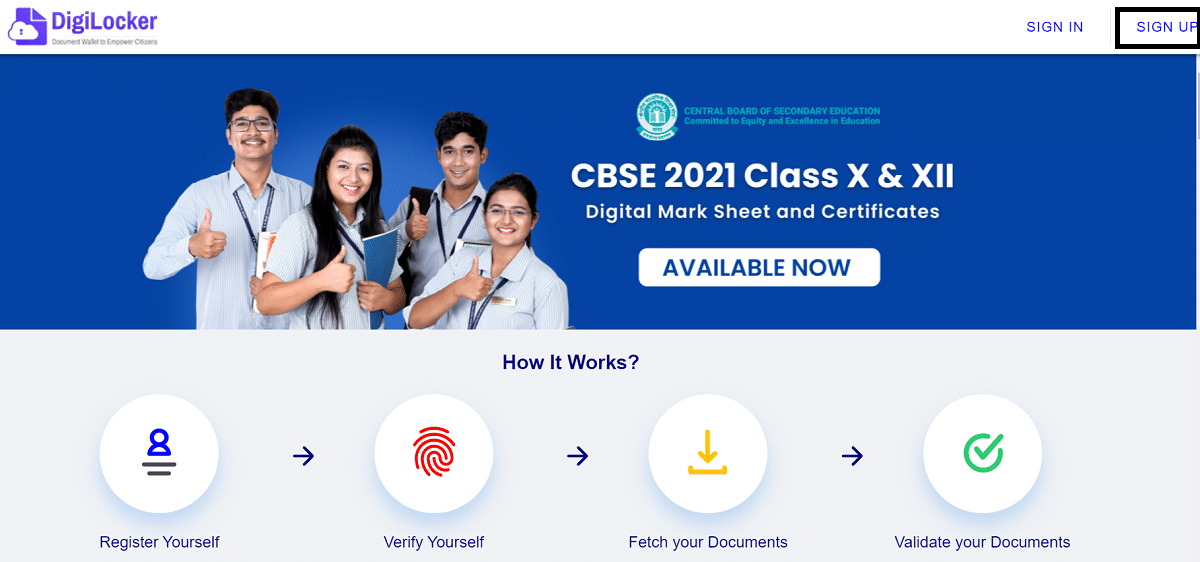
STEP 3 - Direct Link for DigiLocker Sign Up - https://accounts.digilocker.gov.in/signup/
STEP 4 - Upon clicking the link, the DigiLocker Registration Form will appear as shown below:-
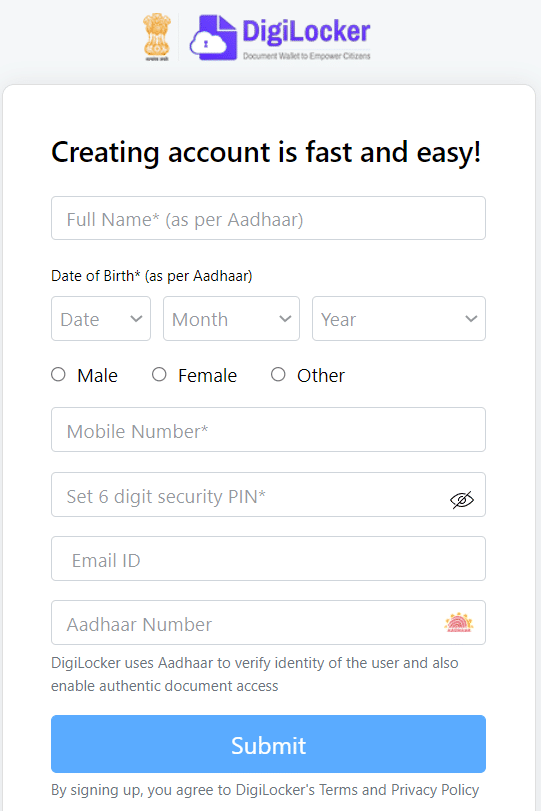
STEP 5 - Here applicants can enter name, date of birth, select gender, enter mobile number, 6 digit security PIN, email ID, aadhaar number and click at "Submit" button to complete DigiLocker Registration process. Aadhaar is optional during sign up but linking it helps fetch government documents automatically.
STEP 6 - Afterwards, candidates can make "Sign In" by clicking at the link - https://www.digilocker.gov.in:443/ to open the DigiLocker Login page as shown below:-
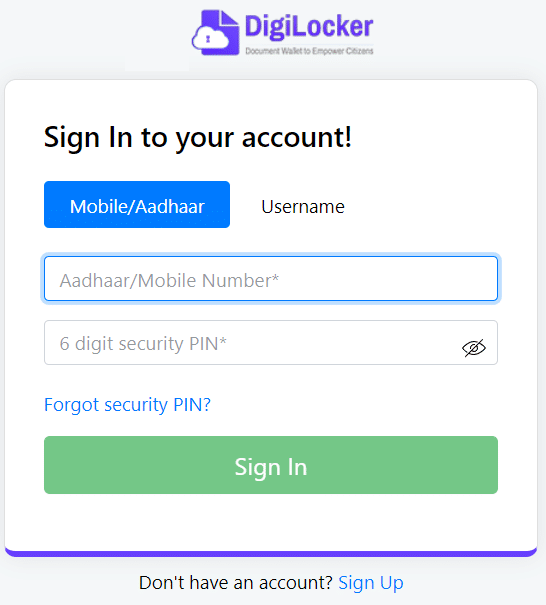
STEP 7 - Here applicants can enter aadhaar / mobile number, 6 digit security PIN and click at "Sign In" button.
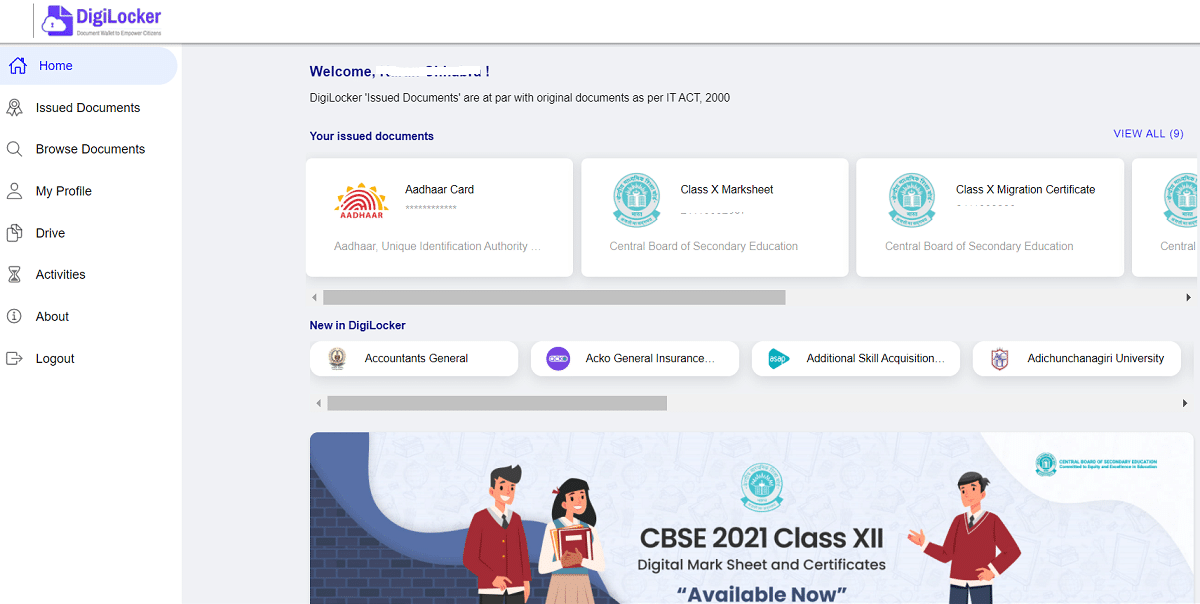
STEP 8 - After logging in, applicants can check issued documents, browse documents, my profile, drive, activities as shown here:-
DigiLocker Highlights
| Detail | Information |
|---|---|
| Scheme Name | DigiLocker |
| Launched By | Ministry of Electronics and Information Technology (MeitY) |
| Launched In | July 2015 |
| Beneficiaries | All Indian residents |
| Benefit | Free 1 GB digital document storage |
| Registered Users | 70+ crore |
| Issued Documents | 900+ crore |
| Application Mode | Online |
| Official Website | digilocker.gov.in |
Most Popular Documents at DigiLocker Portal
DigiLocker gives access to many government-issued documents. Some of the most popular documents that users can fetch and store in the DigiLocker account are given below:
- Aadhaar Card
- Covid-19 Vaccination Certificate
- Vehicle Registration
- Driving Licence
- SSC Marksheet
- HSC Mark Sheet
- Ration Card
- Residence Certificate
- Income Certificate
- Caste Certificate
DigiLocker App Download from Google Playstore (Android)
DigiLocker is a key scheme under Digital India, the Government of India's flagship programme aimed at transforming India into a digitally empowered society and knowledge economy. Targeted at the idea of paperless governance, DigiLocker is a platform for issuance and verification of documents and certificates in a digital way, thus removing the use of physical documents. Here is the direct link to download DigiLocker App from Google Playstore for all android smartphone users - https://play.google.com/store/apps/details?id=com.digilocker.android&hl=en_IN&gl=US
The page to download DigiLocker Mobile App from google play store will appear as shown below:-
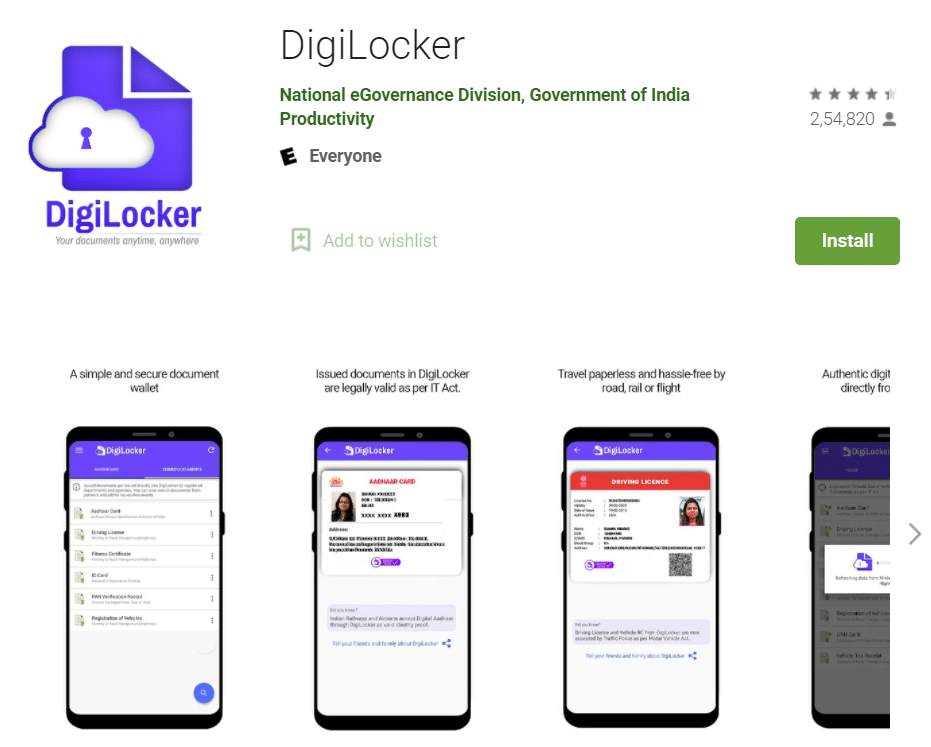
Click at the "Install" button to start downloading the DigiLocker App from google play store for android smartphone users.
Download DigiLocker Mobile App from Apple App Store
Here is the direct link to download DigiLocker Mobile App from Apple App Store - https://apps.apple.com/in/app/digilocker/id1320618078
The page to download DigiLocker App from Apple appstore for iphone / iOS users:-

The DigiLocker website can be accessed at https://www.digilocker.gov.in/. Users can now access documents and certificates from DigiLocker on mobile devices. DigiLocker also works with the Digital India Internship Scheme and other Digital India services.
For more details, visit the official website at https://www.digilocker.gov.in/dashboard
FAQ's
Is DigiLocker free to use?
Yes. DigiLocker is a free service provided by the Government of India and gives 1 GB of free space to store documents.
Can I register on DigiLocker without Aadhaar?
Yes. A user can create a DigiLocker account using a mobile number. Linking Aadhaar is optional but it helps fetch government-issued documents automatically.
Are DigiLocker documents legally valid?
Yes. Digitally issued documents available through DigiLocker are legally valid and accepted by many government departments and institutions.
Can I access DigiLocker on my mobile?
Yes. DigiLocker is available through its official Android and iOS applications as well as the web portal.
Sar home lon lena h plc halp me my no 8923462874 address mathura dilli agra rode haiway velege majolica atv ke pichhe puspvhar kaloni fesh 2 please sar halp me