

 AI Summary
e-Shram Portal, launched by the Central Government of India, is a national database for workers in unorganised sectors. It gives every registered worker a 12-digit Universal Account Number (UAN) that links them to 15 central welfare schemes.
If you have registered for an e-Shram Card, you can check your payment status online. Here is a simple guide on how to check your e-Shram Card payment status and other related details.
Check e-Shram Payment Status Online 2026
To check the status of your e-Shram Card payment, follow these simple steps.
STEP 1 - Visit the official website at eshram.gov.in on your computer, laptop or mobile device. The homepage of the e-Shram website looks similar to the image below.
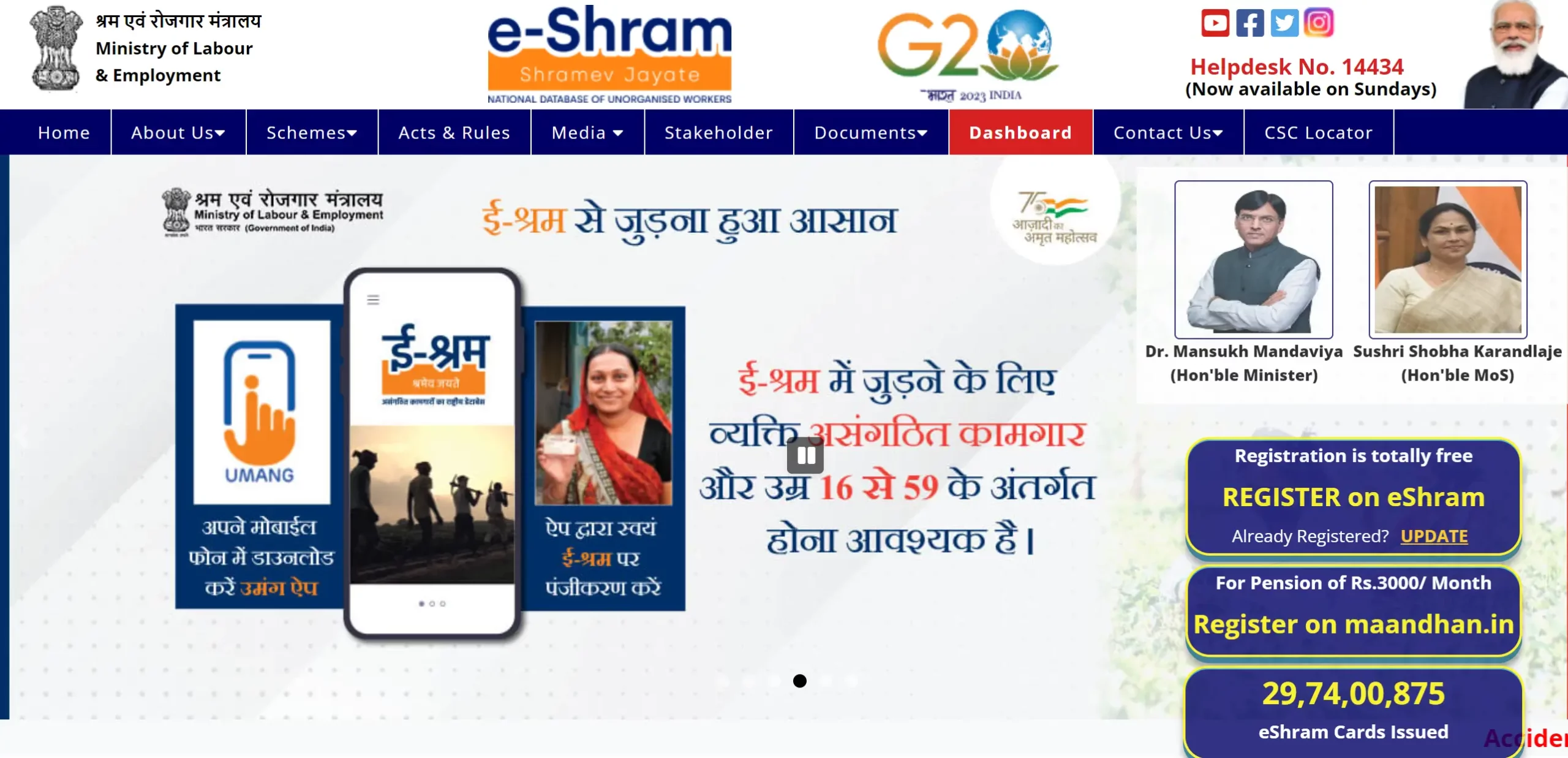
STEP 2 - Look for the link that says "e-Shram Beneficiary & Payment Status" and click on it.
STEP 3 - Enter your Shramik Card number, UAN number, or Aadhaar Card number in the required field.
STEP 4 - After entering your details, you can see your e-Shram Payment Status for 2026.
| Detail | Information |
|---|---|
| Scheme Name | e-Shram Card |
| Launched By | Ministry of Labour and Employment, Government of India |
| Beneficiaries | Workers in unorganised sector |
| Benefit Amount | State-level cash schemes (₹1,000 and more) |
| Application Mode | Online at eshram.gov.in |
| Official Website | eshram.gov.in |
e-Shram Payment Status at CSC
If the e-Shram Beneficiary & Payment Status page is not active on the official website, you can also visit the nearest Common Service Center to check the payment status.
Ask the CSC operator about the payment status by giving your details such as Aadhaar Card number, e-Shram card number or mobile number.
You can find the nearest CSC center at the official CSC locator by entering your state and district name at the link given below.
Find CSC Center: https://findmycsc.nic.in/csc/
e-Shram Card Installment Details
Many workers ask about the ₹1,000 installment linked to the e-Shram Card. It is important to know that the e-Shram Card itself does not pay any direct cash. The ₹1,000 amount comes from state-level cash schemes such as the UP Kamgar Bhatta, MP Mukhyamantri Jan Kalyan Sambal Yojana, or Bihar migrant worker aid, which use the e-Shram UAN to find eligible workers. Here are the key points.
- No direct payment from e-Shram: e-Shram is a database identity, not a direct benefit transfer scheme. Any ₹1,000 claim refers to a state-level scheme, not a central e-Shram payment.
- State schemes: To get the ₹1,000, you need both the e-Shram UAN and the state-specific enrolment for the scheme running in your state.
- First installment: The first installment list for some state schemes was released in January 2023.
Helpline
If you face any issue while receiving the benefits of the e-Shram Card, follow these steps.
Phone Number
e-Shram help desk support (toll free) is available at 14434 (8:00 AM to 8:00 PM Monday to Saturday and 9:30 AM to 6:00 PM on Sunday) in Hindi, English, Tamil, Bengali, Kannada, Malayalam, Marathi, Odia, Telugu and Assamese languages.
You can also send an email at eshramcare-mole[at]gov.in.
FAQ's on e-Shram Payment Status
How long does it take for the e-Shram Card payment to be credited to the bank account after the release date?
The e-Shram Card payment is typically credited to the beneficiary's bank account within 7-10 working days after the release date.
What should I do if there is a discrepancy in the payment amount credited to my account?
If you notice any discrepancy in the payment amount credited to your account, you should immediately contact the helpline number provided on the e-Shram Portal or visit the nearest e-Shram Seva Kendra for support.
Can I update my bank account details on the e-Shram Portal if I have changed my account?
Yes, you can update your bank account details on the e-Shram Portal by logging into your account and going to the profile details section or by visiting the nearest CSC center. Make sure your new bank details are accurate to receive future payments without any issues.