

 AI Summary
Himachal Pradesh government's HP My Gov Portal at himachal.mygov.in is a citizen engagement platform that lets people share views, suggestions and feedback with the state government. The portal is part of the national MyGov network run by the Ministry of Electronics and Information Technology, Government of India, and is hosted by the National Informatics Centre. HP My Gov Portal Registration and Login are open for all citizens at the official website.
The portal helps people take part in the governance process by joining groups, doing tasks, taking part in discussions and polls, reading blogs and listening to talks on public policy issues. The state government takes up the suggestions and feedback shared by citizens and uses them to improve the working of the government. The portal was launched when Jai Ram Thakur was the Chief Minister of Himachal Pradesh, and it continues to run under the present state government led by Chief Minister Sukhvinder Singh Sukhu.
HP My Gov Portal Registration and Login at himachal.mygov.in
Here is the complete process to register and login at the Himachal Pradesh My Gov Portal.
STEP 1 - Visit the official website at himachal.mygov.in.
STEP 2 - On the homepage, click on the "Register" link in the main menu to open the HP My Gov Portal registration form as shown below.
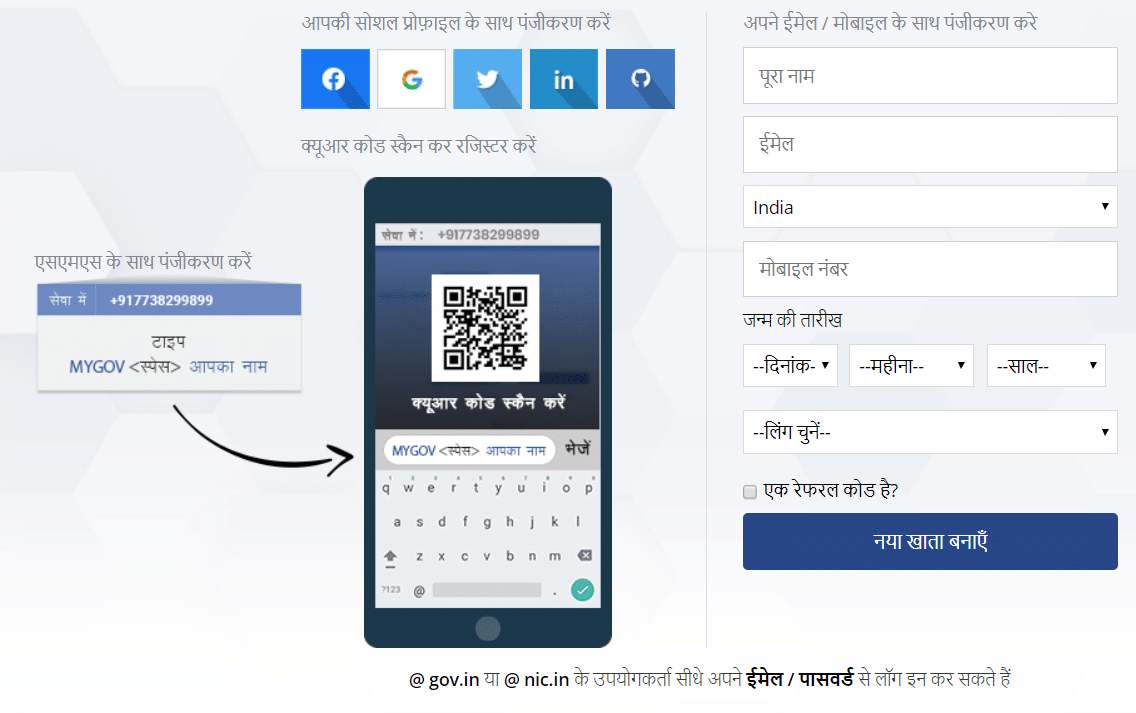
STEP 3 - Users can register using their social media profile such as Facebook, Google, Twitter or LinkedIn, or they can enter their details to create a new account on the portal.
STEP 4 - After registration, users can login to the portal. The login page appears as shown below.
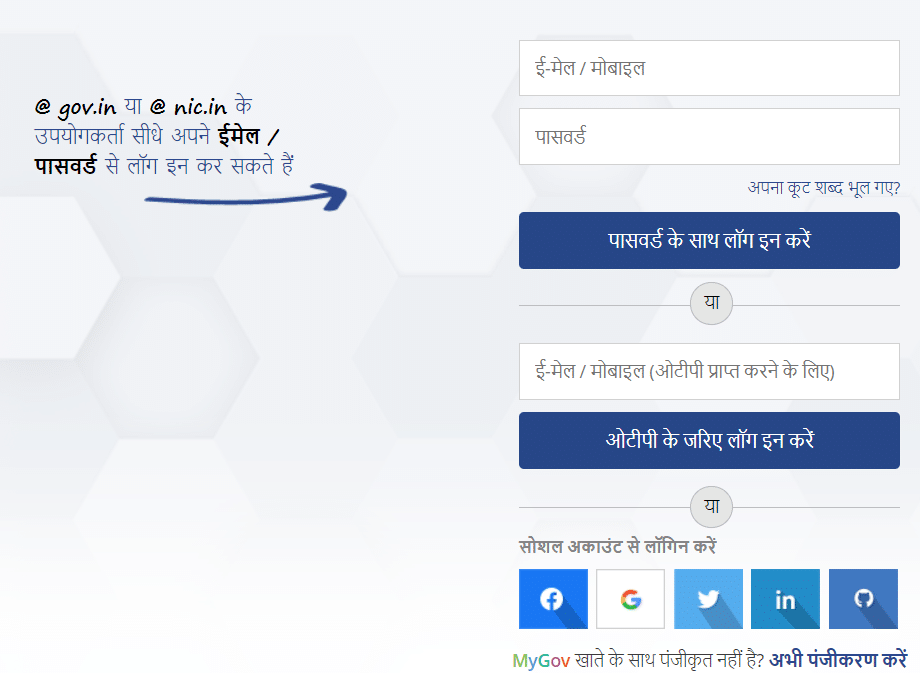
STEP 5 - Users with a gov.in or nic.in email ID can directly login with their email ID and password. After login, citizens can take part in the activities on the portal and communicate with the state government.
Earlier, the state government had also launched the HP Mukhyamantri Seva Sankalp Helpline Number to set up two way communication between citizens and the government.
Activities at Himachal My Gov Portal
Citizens can take part in the following activities on the HP My Gov Portal after login.
- Groups - Join groups based on topics of interest and take part in the discussions.
- Do (Tasks) - Take part in online and offline tasks shared by the government.
- Discuss - Join groups and discussions and share views on public issues.
- Poll - Take part in polls and share opinion on important matters.
- Blog - Read the latest activities of the state government.
- Talk - Listen to special talks on good governance.
The portal is a useful way for citizens to connect with the state government and take part in the development of Himachal Pradesh. The government has also launched a CM App to directly connect with the Chief Minister of the state.
Highlights of HP My Gov Portal
| Detail | Information |
|---|---|
| Portal Name | HP My Gov Portal |
| Official Website | himachal.mygov.in |
| Run By | Ministry of Electronics and IT, Government of India |
| State | Himachal Pradesh |
| Beneficiaries | All citizens of Himachal Pradesh |
| Application Mode | Online |
| Activities | Groups, Tasks, Discussions, Polls, Blogs, Talks |
FAQ's
Is the HP My Gov Portal still active in 2026?
Yes, the portal is still active and open for registration and login for all citizens of Himachal Pradesh.
How to register on the HP My Gov Portal?
Visit himachal.mygov.in, click on the Register button and create an account using social media or email details.
Can users with a gov.in email ID login directly?
Yes, users with a gov.in or nic.in email ID can login directly with their email ID and password.
What activities are available on the portal?
Citizens can take part in groups, tasks, discussions, polls, blogs and talks on the portal.
Grocery
driver
District
Avon
turquoise
neural
deposit
Namibia