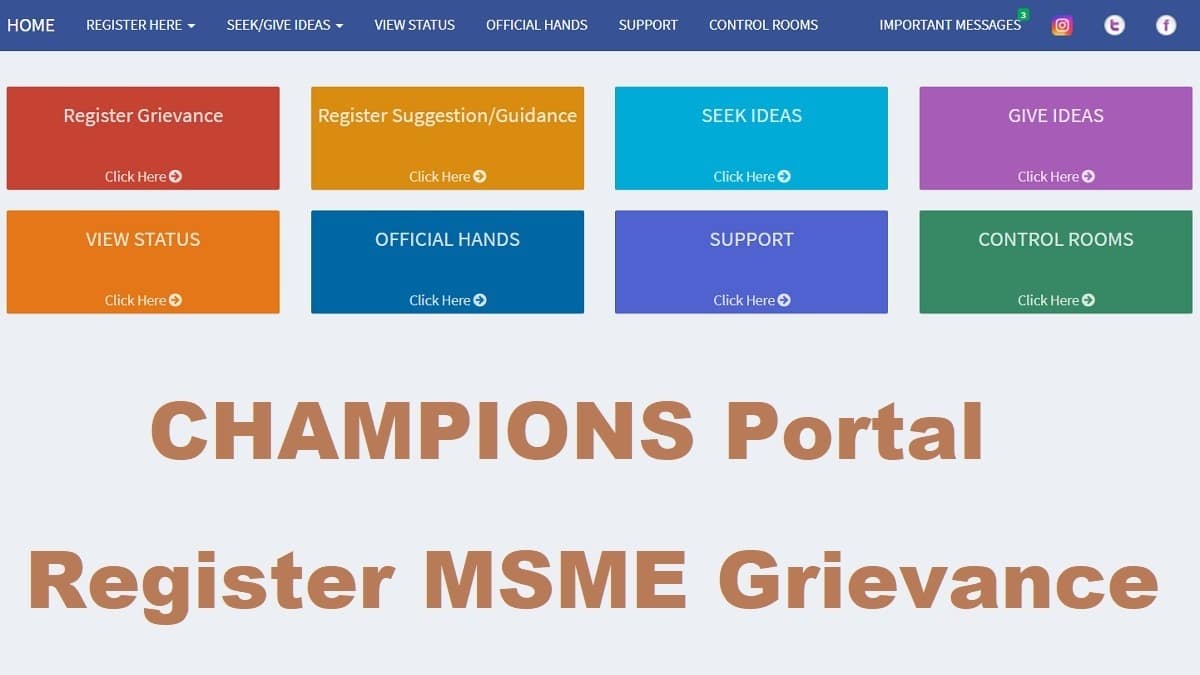
Central government has launched a new Champions Portal at www.champions.gov.in for MSMEs. This is an initiative of Ministry of Micro, Small and Medium Enterprises (MSME) to start CHAMPIONS Grievance Management System. Here people or organizations can now fill MSME Grievance online registration form at the official website to get their concern addressed. This CHAMPIONS Portal has been launched to put up and promote unified, empowered, robust, bundled and technology driven platform to help and promote MSMEs of India.
CHAMPIONS stands for Creation and Harmonious Application of Modern Processes for Increasing the Output and National Strength. Champions Grievance Management Service is launched by Nitin Gadkari and is now functional online. The new portal has facility to register here, seek / give ideas, view status and access control rooms for MSME grievance redressal.
Champions portal is going to turn smaller units big by supporting, encouraging, helping and handholding MSMEs. Now check how to make MSME Grievance online registration at Champions Portal.
Champions Portal MSME Grievance Online Registration Form 2026
Here is the complete procedure to fill MSME Grievance online registration form at the Champions Portal:-
STEP 1: Firstly visit the official portal at www.champions.gov.in
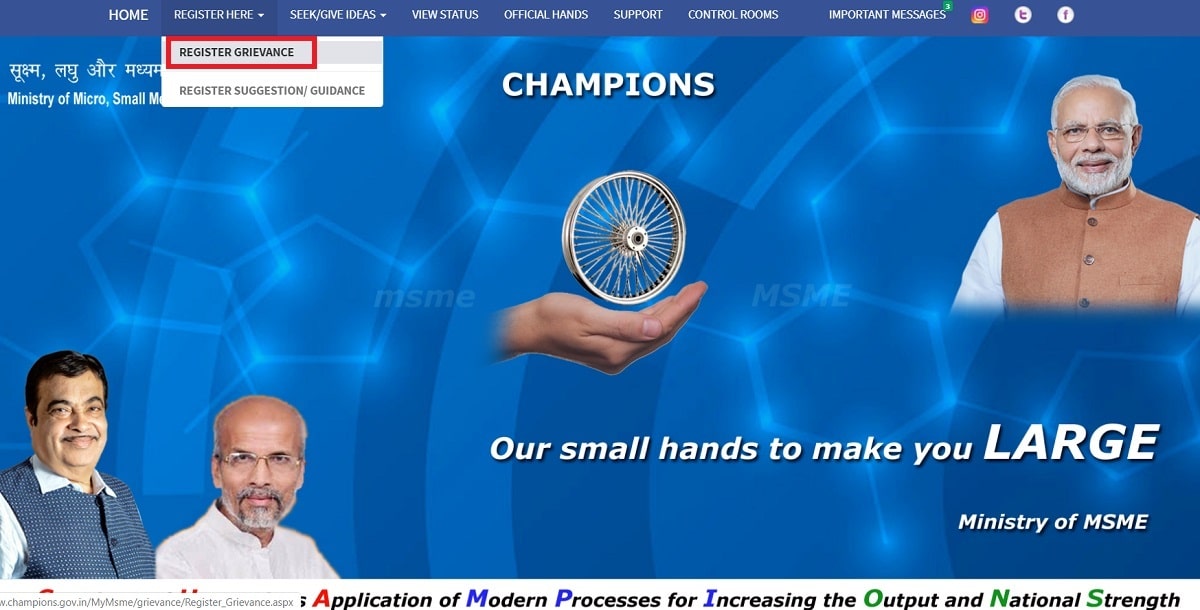
STEP 2: On the homepage, scroll over the "Register here" tab present in the main menu and click at "Register Grievance" link as shown below:-

STEP 3: Accordingly, MSME Grievance online registration form at Champions Portal will appear as shown below:-

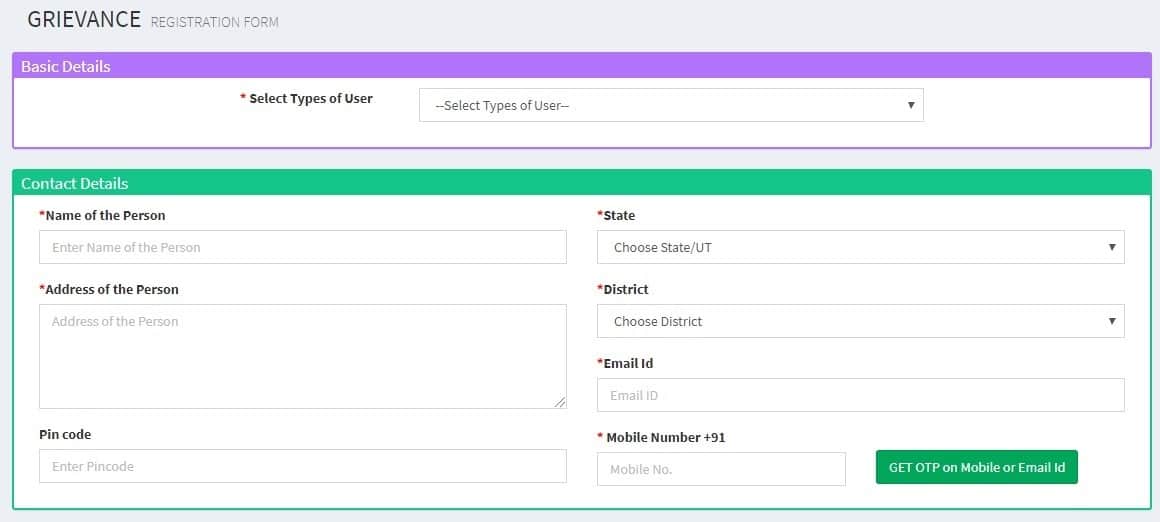
STEP 4: Applicant person or organization can enter the user type, name of person, state, address of person, district, e-mail ID, pin code, mobile number and click at "GET OTP on mobile no. or e-mail ID" button.
STEP 5: Afterwards, people can successfully validate the OTP by entering the OTP sent on registered mobile number. Then people or MSME can register their grievance.
STEP 6: After submission of MSME grievance, govt. will address the issue and solve it soon as possible to benefit MSMEs.
Who can Register Grievance at Champions Portal
The following persons or organizations can register their grievance at the Champions Portal:-
- Association
- MSME Unit
- MSME Employee
- Government Officials
- Would be Entrepreneur
- Individual
- Other
Objectives behind Launch of Champions Grievance Management Portal
Here are the 3 basic objectives to launch Champions Grievance Management Portal:-
1. In order to help MSMEs in this difficult situation in terms of finance, raw materials, labour, permissions, etc.
2. To help MSMEs to capture new opportunities like manufacturing of medical accessories and products like PPEs, masks, etc.
3. To identify the sparks i.e. the bright MSMEs who can not only withstand but can also become national and international champions.
www.champions.gov.in is a technology driven Control Room-Cum-Management Information System.
Features Available at Champions Portal
Champions Portal is a real one stop shop solution launched by the MSME ministry. The system utilizes modern ICT tools to assist Indian MSMEs march into big league as National and Global CHAMPIONS. In addition to ICT tools including telephone, internet and video conference, the system is enabled by Artificial Intelligence, Data Analytics and Machine Learning.
CHAMPIONS is also fully integrated on real time basis with GOI's main grievances portal CPGRAMS and MSME Ministry's own other web based mechanisms. The entire ICT architecture is created in house with the help of NIC in no cost. Accordingly, the physical infrastructure is created in one of ministry’s dumping rooms in a record time.
As part of the system a network of control rooms is created in a Hub & Spoke Model. The Hub is situated in New Delhi in the Secretary MSME’s office. The spokes will be in the States in various offices and institutions of Ministry. As of now, 66 state level control rooms are created as part of the system.